The AI website builder agencies use to ship client sites faster
NibWP is the AI website builder for agencies that ship on WordPress: hand it a screenshot, a Figma file or HTML and get real, editable pages in Elementor, Bricks, Kadence or Etch — validated before they're written, on a plan you approve.
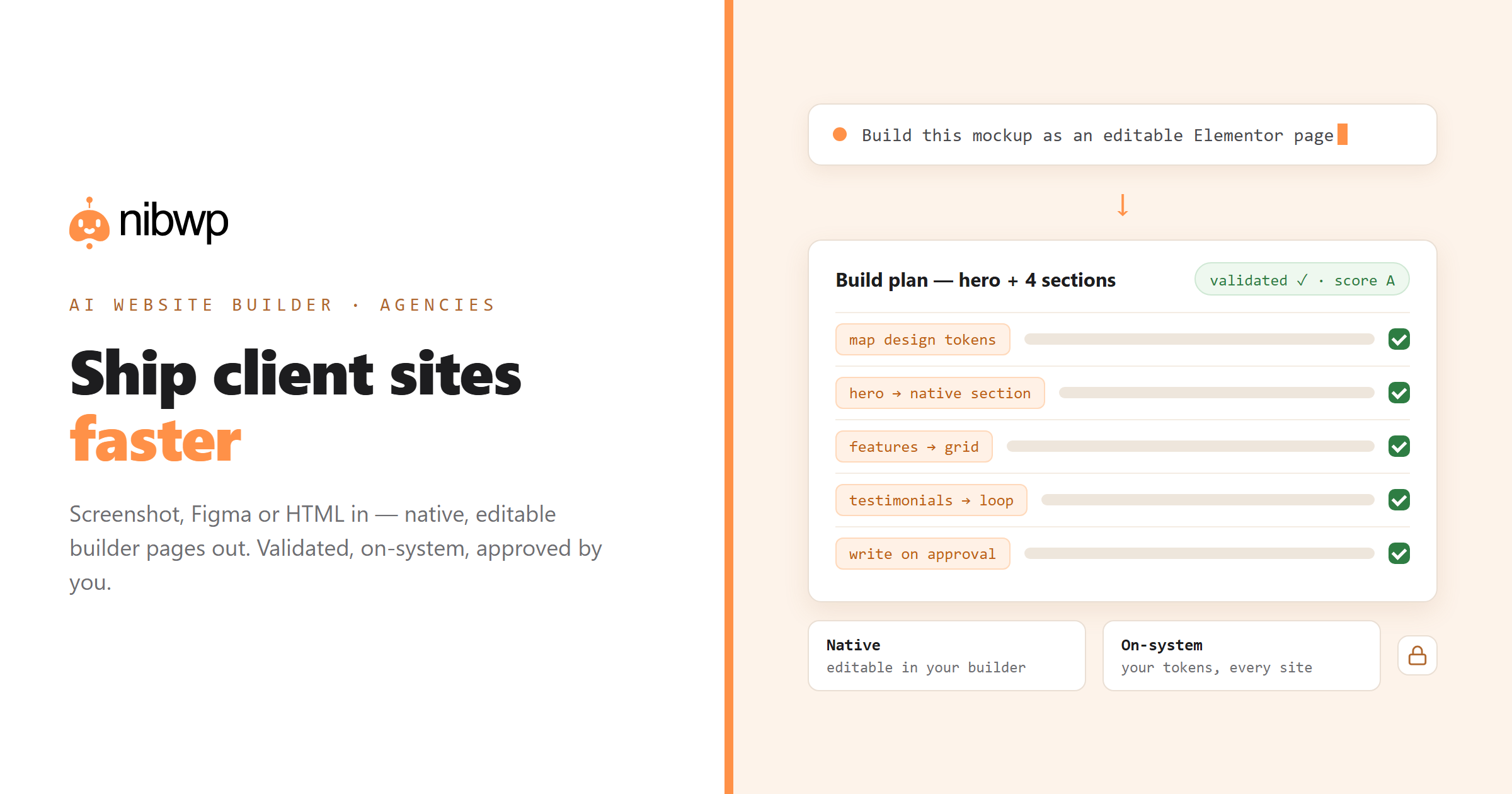
Every AI website builder for agencies makes the same promise: faster sites. Most deliver a wall of flattened HTML that no client — and no junior — can ever edit again. The build was fast; every change after it is slow.
NibWP takes the opposite bet: the output is only worth shipping if it lands in your builder as native, editable elements. A design goes in; real Elementor widgets, Bricks elements or Kadence blocks come out — mapped to your design tokens, validated against the builder's own rules, and written to the client's site only when you approve the plan.
It works inside the stack you already sell: Pro Skills cover Elementor, Bricks, Kadence and more, a Figma-to-WordPress pipeline handles design files, and the same system can turn a screenshot or URL into a page in minutes. One license, every client site — see pricing.
What shipping faster actually looks like
Screenshot to page
A mockup or reference screenshot becomes a real page in your client's builder — structure, spacing and type mapped to native elements.
Figma to builder
Design files convert with their tokens, not exported CSS — colors, type scales and spacing arrive as your builder's global settings.
HTML to native blocks
Prototypes and legacy markup become editable builder elements, never a pasted core/html blob.
On your design system
Output maps to your global classes and tokens, so every client site starts on-system instead of off-brand.
Validated before written
Element names, nesting and required attributes are checked against the builder's own rules and scored before anything is saved.
Junior-proof output
Because pages land as native elements, anyone on the team can open the builder and keep working — no reverse-engineering.
How the AI website builder for agencies works
No new page builder to learn — NibWP drives the builders you already use:
- Connect — install NibWP on the site and connect Claude, Cursor or ChatGPT over MCP.
- Hand it the design — a screenshot, a Figma frame, a live URL or raw HTML.
- Review the plan — the mapped element tree, tokens and target page, before anything is written.
- Approve and open the builder — the page is there, native and editable, ready for polish.
Why not just a generic AI?
The difference between an AI that demos well and one you can bill with is what happens after the first build.
A generic AI site generator
- Outputs flattened HTML and custom CSS nobody can edit in the builder
- Ignores your design system — every site starts from scratch
- One look, one layout — and a rebuild when the client wants changes
NibWP on your builder
- Native, editable elements in Elementor, Bricks, Kadence or Etch
- Mapped to your global tokens and classes on every site
- Clients and juniors keep editing in the tool they already know
Safe by default
Built for client work, not demos:
- Every build is shown as a plan you approve before it's written.
- Output is validated and scored against the builder's own rules first.
- Everything runs on your own WordPress — no third-party page host.
- Every write is recorded in a full audit trail.
Questions, answered
How agencies use NibWP to build client sites.
Which builders does it support?
Do my clients need a NibWP license?
Can it match our design system?
What if the AI gets a section wrong?
Ship the next client site this week.
Get the Bundle — every Pro Skill, every builder, one license across your client sites.