Bulk edit WordPress posts with AI: categories, meta and content in one pass
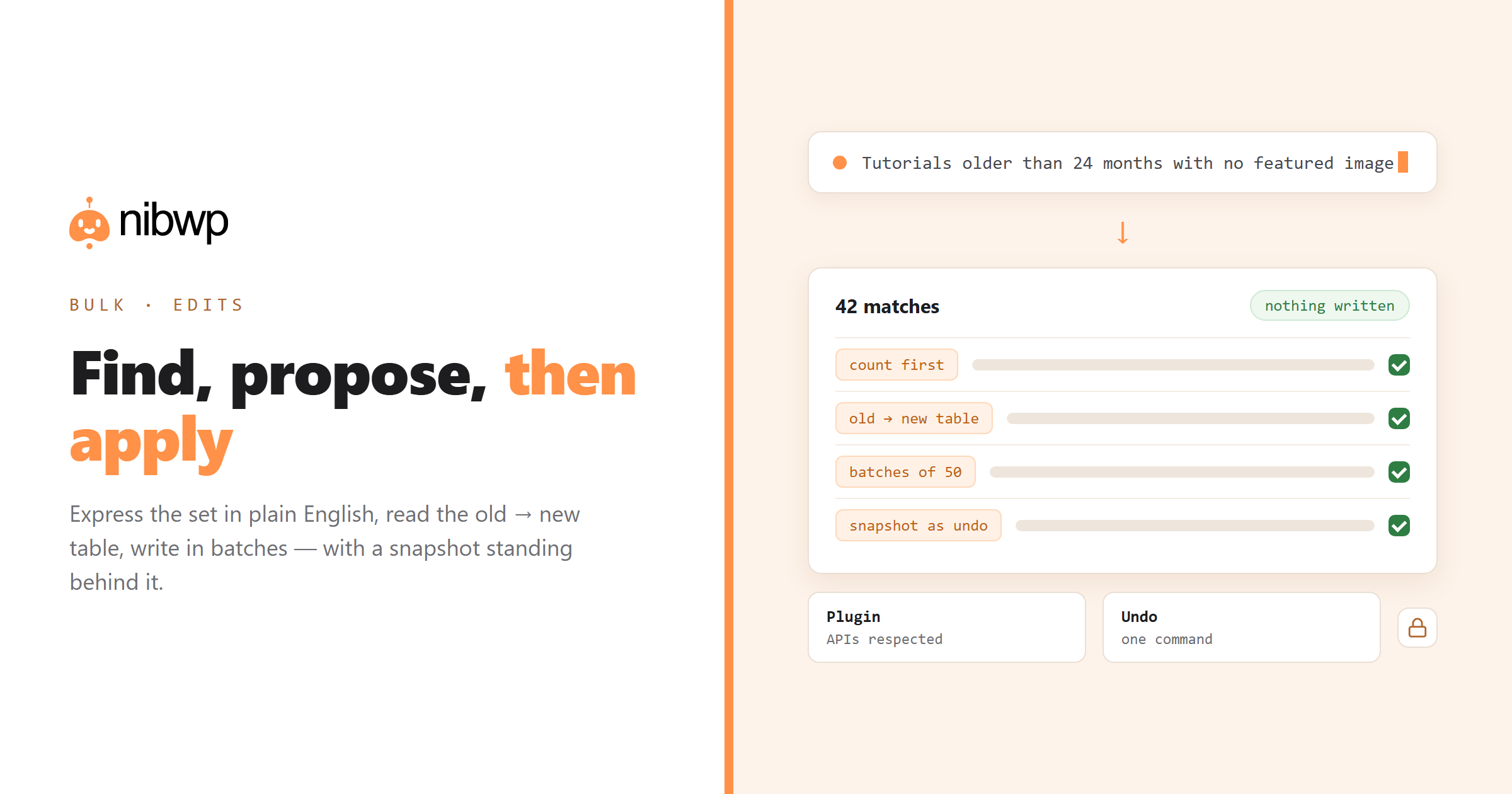
Every write below goes through the same shape: the agent reads first, shows a plan, and nothing is written until you approve it — with the whole run in the audit log.
What you can actually bulk edit
- Categories and tags — reassign, merge, split, clean up duplicates.
- SEO titles, meta descriptions, canonical URLs, robots directives.
- Post status and dates — unpublish stale content, fix wrong publish dates.
- Featured images and alt text.
- Custom fields — backfill a value across a post type, normalise formats.
- Content patterns — an outdated product name, a changed price, a moved URL.
- Authors and post meta.
The three-step pattern for every bulk edit
Use this shape every time and bulk editing stops being scary:
- Find and count. Ask for the matching set as a table first. If the count surprises you, your filter is wrong — and you found out before writing anything.
- Propose. Ask for old → new per row. Read a sample; check the edge cases at the bottom of the list, not the top.
- Apply in batches. Fifty at a time with a summary per batch. Stop and check after the first batch.
# step 1 — find, don't change
List published posts in "Tutorials" older than 24 months with no featured image.
Table: title, slug, date, word count. How many in total?

# step 2 — propose
For those posts, propose a new category assignment based on their content.
Show old → new for every row. Change nothing yet.

# step 3 — apply
Apply rows 1-50. Summarise what changed, then wait.
Snapshot first for anything irreversible
nibwp snapshot create --post-type post -o before-bulk.json
# ...run the edit, check the result...
nibwp snapshot restore before-bulk.json   # only if needed
One command turns a bad bulk edit from an incident into an inconvenience. Make it a habit for anything touching more than about twenty records.
Real bulk jobs worth running
- Category cleanup.
- Rename across content.
- Date hygiene.
- Field backfill.
- Stale content triage.
Mistakes that cost people an afternoon
- Skipping step one. The count is your sanity check; without it you are guessing at scope.
- Approving a plan by skimming the first five rows. Problems live at the bottom of the list.
- Running the whole set in one go. Batches give you a stopping point.
- Editing on production when staging exists.
- Forgetting that content search matches inside shortcodes and blocks — check a sample rendered, not just the raw match.
For SEO-specific bulk work — titles, descriptions, schema — the dedicated workflow is in SEO at scale.
Writing filters that match what you mean
Most bulk-edit accidents are filter accidents. Some patterns that consistently produce the set you intended:
- Combine conditions rather than broadening.
- Exclude explicitly.
- Ask for the boundary cases.
- Count before and after. If 340 matched and 338 changed, ask about the two.
A worked example, start to finish
Merging a messy category structure — a job that is genuinely unpleasant by hand:
# 1 — see the mess
List every category with its post count, ordered by count ascending.
Flag ones with fewer than 4 posts.

# 2 — propose
For each small category, propose the best merge target based on the
actual content of its posts. Table: category, count, proposed target, why.

# 3 — apply, carefully
Merge only the rows I confirm. For each: reassign posts, keep the old
slug as a redirect to the target, then delete the empty category.
Report per merge.
The redirect line is the part people forget and regret. Deleting a category with inbound links silently creates 404s; keeping the slug as a redirect costs nothing at the time and saves the traffic.
Verifying after a bulk edit
Three checks that catch nearly everything, and take two minutes:
- Spot-check five records across the range — first, last, and three at random. Not the first five.
- Load two affected pages on the front end. Data being correct and pages rendering are different claims.
- Ask the agent to re-run the original filter. If anything still matches, you know exactly what was skipped and why.
FAQ
Can AI bulk edit WordPress posts?
Yes — categories, tags, SEO meta, status, dates, featured images, custom fields and content patterns — using typed tools, with a plan shown before anything is written.
Is bulk editing with AI safe?
With the three-step pattern (find and count, propose old → new, apply in batches) plus a snapshot beforehand, yes. The risk is skipping the count, not the AI.
How is this different from WP-CLI search-replace?
Can it edit custom fields in bulk?
Yes, when your MCP server has an integration for your fields plugin — ACF, Meta Box, Pods and similar — so values are written through the plugin rather than as raw post meta.
What if the bulk edit goes wrong?
Restore the snapshot you took first. Failing that, the audit log shows exactly which records changed and to what, so a targeted fix is possible.
How many records can it handle?
Hundreds comfortably in batches. For tens of thousands of rows, a server-side tool like WP-CLI is the better instrument — agents excel where judgement is needed, not raw throughput.