How to find broken links across every client WordPress site at once
Broken links are the maintenance problem clients find before you do. One dead link on a services page reads as neglect; a handful across a site quietly leaks SEO authority. And when you manage twenty or fifty sites, the honest answer to “when did we last check?” is usually “whenever someone last had a spare afternoon.”
This guide shows how to find broken links across multiple WordPress sites at once — a scheduled crawl on every site, one portfolio-wide sweep from a single seat, fixes that go through approvals, and a report that turns the whole thing into billable care-plan evidence.
Why broken links are worth automating first
- Clients see them. A 404 from a homepage link is the most visible kind of neglect — and the cheapest complaint to prevent.
- Search engines count them. Dead internal links waste crawl budget and break the link equity flowing through the site.
- They compound silently. Every removed page, expired campaign and restructured menu mints new dead ends — rot is the default state of a site nobody crawls.
- Checking is pure toil. It's exactly the work that should never touch a senior calendar: repetitive, mechanical, and easy to verify.
How to find broken links across multiple WordPress sites
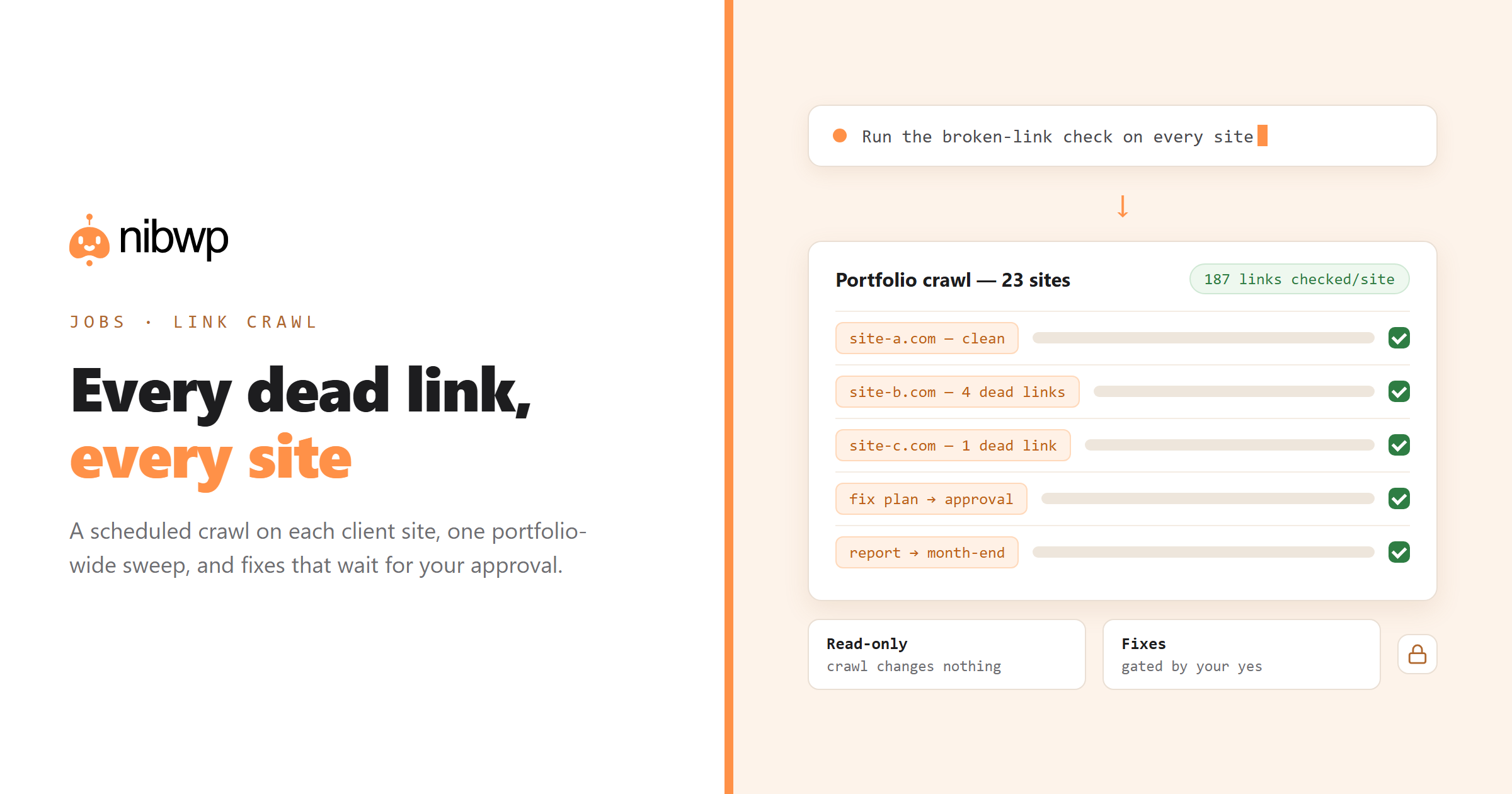
NibWP ships a broken-link crawl as one of its core Jobs — it runs from wp-admin using WordPress core only, on a schedule, and reports in plain English. Put it on every site you manage, then drive the whole fleet from one AI command center: a single instruction sweeps the portfolio and comes back with one findings list.
Walkthrough 1: Schedule the crawl on one site
- In wp-admin, open Jobs and pick the broken-link crawl — no configuration beyond how often it should run.
- Set the schedule to match the care-plan tier: weekly for active sites, monthly for brochure sites.
- The job crawls the site's content — posts, pages, menus — and checks internal and outbound targets.
- Every dead link is listed with its exact location: which page, which paragraph, which URL failed.
- The run ends with a plain-English report; nothing on the site has changed — the crawl is read-only.
Walkthrough 2: Sweep every client site at once
- Install NibWP on each managed site — each gets its own MCP endpoint and scoped credential.
- Connect your AI client once, then ask in plain English: “Run the broken-link check on every care-plan site.”
- The assistant runs the crawl per site and merges the results into one list, ordered by how much is broken where.
- Sites with findings get flagged for the fix pass; clean sites just log a passing run — evidence for the monthly report.
Walkthrough 3: Fix what the crawl found
Finding is read-only; fixing writes to the site, so it runs through the approval gate:
- Ask for a fix plan: each dead link gets a proposed action — update the URL, remove the link, or redirect the target.
- Redirects are proposed where the content moved; link edits where the destination is simply wrong.
- Review the plan — every change is listed against its page — and approve.
- The fixes run through WordPress core APIs and land in the site's audit log, attributable and dated.
Walkthrough 4: Turn it into the monthly deliverable
A link crawl that runs monthly and fixes what it finds is a care-plan line item clients understand instantly. Fold it into the month-end report — “23 broken links found and fixed across your site” is renewal language — and the whole loop is the first walkthrough in running maintenance plans on autopilot. The overnight version — crawl at 2am, approvals with your coffee — is covered in automated AI WordPress maintenance.
The bottom line
Broken links are the perfect first automation: purely mechanical to find, cheap to fix, visible to clients, and safe to schedule — the crawl itself never writes anything. Put the job on every site, sweep the portfolio from one seat, gate the fixes behind approvals, and let the report write the renewal argument for you.
The broken-link crawl ships with NibWP — see pricing, or start with connecting your AI client to WordPress if you're new to the setup.