What is MCP in WordPress? The Model Context Protocol, explained
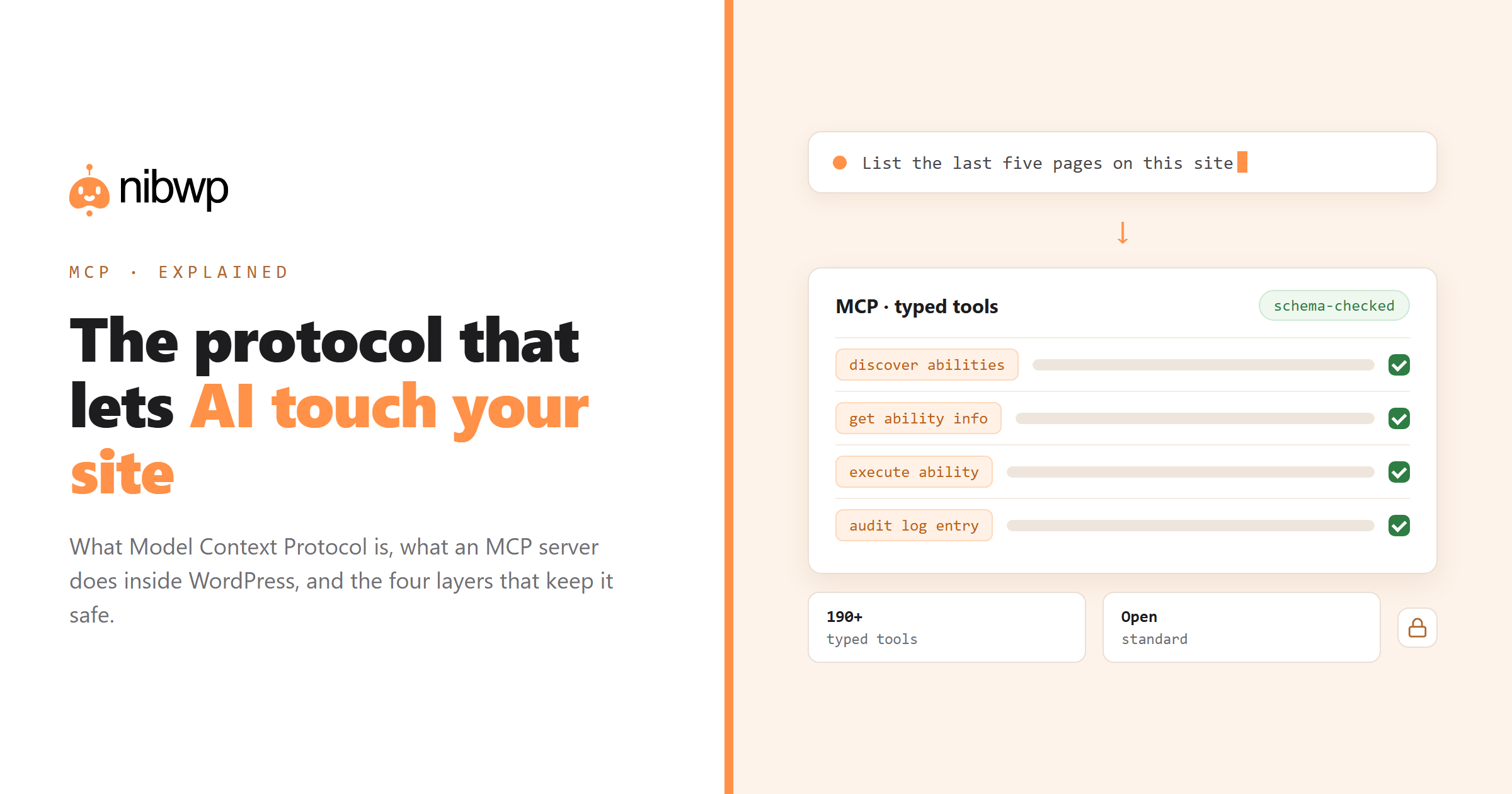
MCP stands for Model Context Protocol. It is an open standard, published by Anthropic in late 2024 and since adopted by most major AI clients, that defines how an AI model talks to an outside system. Before MCP, every AI-to-app connection was a bespoke integration; after it, any client that speaks the protocol can use any server that speaks it. In WordPress terms: MCP is the difference between an assistant that writes text about your site and an assistant that can actually operate it.
This guide explains what MCP is in plain language, what an MCP server does inside WordPress, what changes on your site once one is installed, and where the safety boundaries sit. No prior knowledge assumed — if you can install a plugin, you can follow this.
What MCP actually is
Think of MCP as USB for AI. A USB port does not care whether you plug in a keyboard, a drive or a microphone; it defines the shape of the connection and lets the two sides negotiate what they can do. MCP does the same for language models: a client (Claude, ChatGPT, Cursor, a custom agent) connects to a server (your WordPress site, a database, a design tool), asks what it can do, and calls those capabilities in a structured way.
Three pieces make up the protocol, and only the first matters much for WordPress:
- Tools. Functions the model can call, each with a name, a description and a JSON schema for its arguments. “List the last ten posts” is a tool. “Create a product with these variations” is a tool. The schema is what stops the model from inventing parameters.
- Resources. Read-only data the server can expose for context — files, records, documents.
- Prompts. Pre-written prompt templates a server can offer the client.
The important word is typed. An MCP tool is not a text instruction the model interprets loosely; it is a function with a contract. The server validates the arguments before anything runs, which is why a well-built MCP server is far safer than letting a model type SQL or PHP.
What an MCP server does inside WordPress
A WordPress MCP server is a plugin that turns your site into one of those servers. Once it is installed and connected, your site advertises a set of typed tools — read posts, create a page, update a product, set a meta description, list users — and any connected AI client can call them. NibWP is one implementation: it exposes 190+ typed tools across WordPress core and 45+ plugin integrations. The full list is on the abilities reference.
The connection itself is deliberately boring. Your site exposes an endpoint; the AI client is configured once with that endpoint and a credential; from then on the client can discover and call tools. Nothing is streamed to a third party, because the server is your own site — the model asks, your site answers.
What that looks like in practice on a NibWP-connected site: the client sees three entry-point tools — discover abilities, get ability info, execute ability — and through them reaches everything else. That indirection is deliberate. It keeps the client's tool list short (which keeps the model fast and accurate) while making 190+ capabilities reachable.
# ask the site what it can do, then do it
nibwp discover "create a landing page"
nibwp describe nibwp/wp-create-post
nibwp run nibwp/wp-list-posts --input '{"per_page":5}'
MCP vs the other ways AI touches WordPress
Three approaches exist today, and they are not equivalent:
- Copy-paste AI. You ask a chatbot for content, then paste it into WordPress yourself. Zero risk, zero automation, and all the work is still yours.
- AI plugins with their own UI. A plugin adds an “AI” button to the editor. Useful, but bounded — you get whatever features the plugin shipped, in the plugin's own interface.
- MCP. Your site becomes the toolset and your AI client becomes the interface. Anything the tools cover can be requested in plain English, from any client, combined into multi-step jobs the plugin author never anticipated.
The REST API is the obvious comparison for developers, and the honest answer is that MCP sits on top of it rather than replacing it — the distinction is discovery, typing and permissions, covered in REST API vs MCP.
The safety model — what stops it going wrong
This is the question everyone asks second, and it deserves a straight answer. A well-designed WordPress MCP server has four layers between a model's intention and your database:
- Schema validation. Arguments are checked against the tool's JSON schema before execution. Malformed calls are refused, not guessed at.
- Scoped credentials. A connection is granted specific scopes — read, write, manage, files, code. A read-only token can look at everything and change nothing.
- The approval gate. Write operations are planned and shown to you before they run. You see which records will change, and what stays untouched.
- The audit log. Every call is recorded — which tool, which arguments, which user, what result. That is the difference between “the AI did something” and “here is exactly what the AI did”.
We wrote the long version of this — including what an agent still cannot do — in is it safe to give an AI agent write access and the built-in audit log.
What you can actually do with it
Concrete examples from real sites, all of them single prompts:
- “List every post with an empty meta description, then write one for each from the page's content — show me the table before writing.”
- “Create these 40 products from the sheet, with S/M/L variations and the listed prices. Check existing SKUs first.”
- “Which pages have no French translation? Create drafts for the missing ones, linked to the originals.”
- “Build a services page: hero, three service cards, FAQ, CTA — using our existing design tokens. Draft only.”
- “What changed on this site in the last week, and who changed it?”
Each of those maps onto a documented workflow with the prompts written out in full — see the solutions library.
How to try it in five minutes
The setup is genuinely short, and it is the same on any site:
- Install a WordPress MCP plugin and enable its AI abilities.
- Connect an AI client — either with the plugin's 1-click config generator, or from a terminal.
- Ask a read-only question first (“list the last five pages”) to confirm the connection.
- Grant write scope when you are ready, and keep the approval gate on.
nibwp auth login https://yoursite.com --scope read
nibwp agent add claude-code
Step-by-step with screenshots: turn WordPress into an MCP server. If the connection misbehaves, every connection error is decoded here.
FAQ
What does MCP stand for?
Model Context Protocol — an open standard for connecting AI models to external systems through typed tools, published by Anthropic and adopted across major AI clients.
Do I need to know how to code to use MCP with WordPress?
No. You install a plugin, connect your AI client once, and then describe what you want in plain English. Developers get more out of it — scripting, CI, custom skills — but the base use case is conversational.
Is MCP part of WordPress core?
No. WordPress core has no MCP server; you add one with a plugin. Core does expose the REST API, which a good MCP server builds on top of rather than bypassing.
Can an MCP server see my site's data?
It runs inside your site, so it reads your data the same way any plugin does. What leaves your server is only what the AI client requested and you approved — there is no third-party copy of your database.
Which AI clients support MCP?
Claude (Code, desktop and claude.ai), Cursor, Windsurf, VS Code with Copilot Chat, ChatGPT via connectors, and a growing list of others, plus any custom agent built on an SDK that speaks the protocol.
Is MCP the same as an AI plugin like Jetpack AI?
No. AI plugins add fixed features inside the WordPress admin. MCP turns the whole site into a toolset your own AI client drives, so the capability set is much broader and the interface is your chat window or terminal.