10 Claude Skills every WordPress agency should install (and what each one automates)
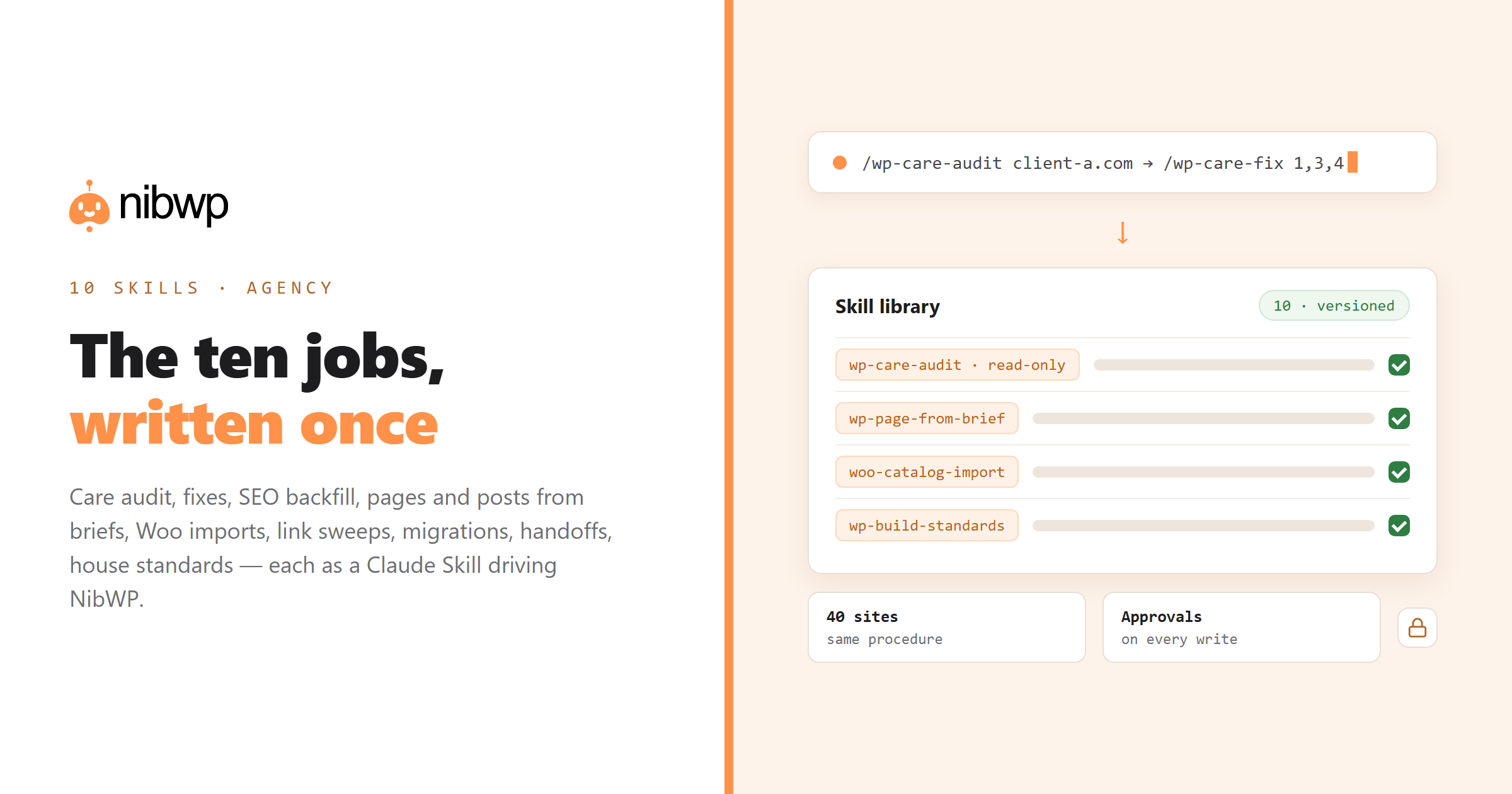
Most agency WordPress work is the same ten jobs, repeated across every client site. That is precisely what Claude Skills are for: write the procedure once as a SKILL.md, and Claude follows it the same way on site one and site forty — calling your WordPress sites through NibWP's typed tools, with your approval on every write and an audit log underneath. This list is the ten skills we would install first. Each comes with the frontmatter you can copy, what the body should instruct, which NibWP abilities it drives, and what it actually automates in hours.
Two ground rules apply to all of them. First, these are client-side instruction files — not NibWP Pro Skills, which are server-side validated workflows; the comparison post explains the difference. Second, every skill discovers NibWP's ability names at run time through the discover tool instead of hard-coding them, so the same file works across sites and survives releases. The SKILL.md tutorial covers the writing mechanics; this post is about what to write.
1. wp-care-audit — the monthly health check
Automates the first two hours of every care-plan month: the gathering. Forty sites × two hours is a full week; the skill does it in minutes per site and leaves you the judgement calls. The read-only token makes it safe to hand to a junior.
---
name: wp-care-audit
description: Run a monthly care-plan health audit on a WordPress site connected through NibWP — updates, security, performance, SEO basics, broken links, backups, forms — and produce a client-ready report. Read-only. Use for: site audit, health check, maintenance report, "what needs attention on <site>".
---
What the body says:
- Read-only, explicitly. Every finding becomes a recommended action with the ability that would fix it.
- Fixed section order and a report template in a bundled report.md with your branding.
- Flags security releases, admin accounts, forms sending off-domain, images over 300 KB, 404s by page.
NibWP tools it drives: site info, update list, security report, performance/visual check, SEO meta listing, broken-link crawl, forms listing.
2. wp-care-fix — apply approved maintenance actions
Pairs with the audit: the audit proposes, this applies. The value is the discipline — plan, approve, verify, log — which is what you bill a care plan for.
---
name: wp-care-fix
description: Apply a list of approved maintenance actions on a WordPress site through NibWP — updates, plugin cleanup, image compression, redirect fixes, form recipients — one at a time with a plan for each. Manual-only; use after wp-care-audit when the user says "apply", "fix these" or "do items 1, 3 and 4".
---
What the body says:
- disable-model-invocation: true — it runs only when you type /wp-care-fix. Writes should be chosen, not inferred.
- Snapshot first (nibwp snapshot create), then one action per approval, then re-run the relevant audit check to confirm.
- Never touches core/plugin updates on a live site without a staging note.
NibWP tools it drives: update abilities, plugin activate/deactivate, media optimise, redirect create, form update — plus snapshot/restore via the CLI.
3. wp-seo-backfill — titles, metas and social images at scale
A 400-page site with empty descriptions is a day of typing or ten minutes of review. Run it monthly and new content never ships bare.
---
name: wp-seo-backfill
description: Find and fill missing or weak SEO titles, meta descriptions and social images on a WordPress site through NibWP, generating each from the page's own content, within length limits, shown as a table before writing. Use for: SEO audit, meta backfill, "fix our meta descriptions", social images missing.
---
What the body says:
- Works with whichever SEO plugin the site has — Yoast, Rank Math, SEOPress, Slim SEO — by discovering the right abilities.
- Length rules in a bundled file (titles ≤ 60, descriptions 140–158), plus your tone examples.
- Draft mode by default; the table of old → new is the approval artefact.
NibWP tools it drives: SEO plugin per-post meta abilities (bulk), post content read, media read for social images, sitemap settings if asked.
4. wp-content-from-brief — posts and pages that follow the house style
Turns content production into review work. The house style stops living in one writer's head.
---
name: wp-content-from-brief
description: Draft a blog post or page on a WordPress site through NibWP from a brief, following the agency style guide, with headings, internal links to existing related content, a featured image request and SEO meta — created as a draft for review. Use for: write a post, draft an article, new page copy.
---
What the body says:
- Style guide and internal-link rules live in bundled files; the skill reads existing posts through NibWP to pick real links, never invented ones.
- Always a draft. Always H1 once, H2 structure, meta set.
- Ends by calling wp-seo-backfill's rules on its own output.
NibWP tools it drives: post list/search (for links), category/tag read, post create (draft), meta set, media attach.
5. wp-page-from-brief — native builder pages, outline first
The delivery workhorse. Every service, landing and campaign page follows the same six steps; polish happens inside the builder because the output is native. Full walkthrough linked below.
---
name: wp-page-from-brief
description: Build a WordPress page from a short brief on a site connected through NibWP: confirm an outline, read the site's builder and design tokens, build native builder output (via the installed Pro Skill when available), create as draft, verify and report. Use for: build a page, create a landing page, new section from a description.
---
What the body says:
- Outline → stop → learn the site (builder, tokens, global classes) → build → verify → report.
- Routes through the builder's Pro Skill when present; never hand-writes HTML.
- Drafts only; publishing is human.
NibWP tools it drives: builder info, tokens/global classes read, Pro Skill preflight + build, or native builder create/update; page create as draft.
6. woo-catalog-import — products from a sheet, validated
A 500-SKU import is an afternoon by hand and a review session with the skill. The collision check is what saves the store.
---
name: woo-catalog-import
description: Create or update WooCommerce products on a site connected through NibWP from a spreadsheet or supplier feed — variations, prices, stock, categories, images — validated against the store's existing taxonomy, shown as a plan, written as drafts. Manual-only; use for: import products, bulk create products, update prices from a sheet.
---
What the body says:
- Reads categories, attributes and existing SKUs first; flags collisions before any write.
- Maps sheet columns to WooCommerce fields in a bundled mapping.md you edit per client.
- Drafts by default; price updates in batches of 50 with a plan each.
NibWP tools it drives: WooCommerce category/attribute read, product search by SKU, product create/update (bulk), media attach.
7. wp-link-sweep — find and fix broken links across the portfolio
Run it portfolio-wide on a schedule. Migrations stop leaking rankings through 404s nobody saw.
---
name: wp-link-sweep
description: Crawl a WordPress site connected through NibWP for broken internal and external links, group results by page, propose a fix for each (update, redirect, remove) and apply approved fixes. Use for: broken links, 404 report, link check, after a migration.
---
What the body says:
- Read phase and fix phase are separate; fixes wait for approval per group.
- After a migration, cross-references the old sitemap and proposes 301s through the redirect integration.
- Outputs a table the client can read.
NibWP tools it drives: broken-link crawl, post content read/update, redirect create (Redirection / SEO plugin redirections), 404 log read.
8. wp-content-migrate — move content between sites without the export dance
Migrations are mostly bookkeeping. The skill does the bookkeeping; you keep the decisions about what moves.
---
name: wp-content-migrate
description: Migrate posts, pages, media and taxonomies from one WordPress site to another, both connected through NibWP, preserving slugs, dates, authors and meta, with a mapping report and a redirect list. Manual-only; use for: migrate content, move posts to the new site, merge two sites.
---
What the body says:
- Reads source structure first; produces a mapping (taxonomies, authors, custom fields) for approval before any write.
- Writes in batches with a manifest; can resume; never deletes on the source.
- Ends with the redirect list for wp-link-sweep.
NibWP tools it drives: post/page/media/term read on source; create/update on target; meta read/write; redirect create.
9. wp-handoff-doc — the client handoff, generated from the site
The doc nobody has time to write, written in two minutes from facts. Clients stop emailing “how do I change the hero?”
---
name: wp-handoff-doc
description: Generate a client handoff document for a WordPress site connected through NibWP: pages and their purpose, how to edit each section, plugins and what they do, forms and where they send, SEO setup, care-plan scope — read from the live site, in the agency template. Read-only. Use for: handoff doc, client documentation, site guide, training notes.
---
What the body says:
- Everything is read from the site, so the doc is true on launch day, not from memory.
- Template in a bundled file with your branding and tone.
- Lists what the client should never touch (templates, global styles) and who to call.
NibWP tools it drives: site info, page list with templates, plugin list, forms listing, SEO settings read, menu read.
10. wp-build-standards — the house rules, as background knowledge
This is the senior developer's judgement, written down once. Every other skill gets better because it exists.
---
name: wp-build-standards
description: Agency build standards for WordPress work through NibWP: naming conventions for classes and fields, allowed builders and their Pro Skills, token usage rules, accessibility minimums, what must never be hard-coded. Background knowledge — apply whenever building, editing or reviewing anything on a client site.
---
What the body says:
- user-invocable: false — it is not a command, it is context Claude should have whenever it builds.
- Short rules, examples of right and wrong, pointers to the skill that does each job.
- Updated when the standard changes; every other skill inherits it.
NibWP tools it drives: None directly — it shapes how the other skills call them.
Further reading per skill
- Page building: how to use Claude Skills with NibWP to build pages from a brief.
- WooCommerce imports: bulk-create WooCommerce products from a sheet.
- Link sweeps on a schedule: find broken links across multiple WordPress sites.
- Migrations: the 15K website migration playbook.
- House standards: standardise the agency build process.
- Care plans end to end: WordPress maintenance plans on autopilot.
How to install them
- Connect a site. NibWP installed, AI Abilities on,
nibwp auth login <site>thennibwp agent add claude-code— or the 1-click config generator in the plugin. - Create the folders under ~/.claude/skills/<name>/ with the frontmatter above and a body written as a numbered procedure. Start with three: audit, fix, page-from-brief.
- Scope the tokens. Read-only connection for the audit and handoff skills; write scope for the rest, approvals on.
- Run each on two sites before the team uses it. Read NibWP's audit log after the first runs.
- Version in git or package as a Claude Code plugin so the whole team gets updates.
Which three to write this week
If you run care plans: audit, fix, link-sweep. If you build sites: page-from-brief, content-from-brief, handoff-doc. If you run stores: woo-catalog-import, seo-backfill, care-audit. Write wp-build-standards regardless — it is the one that makes the others good. The mechanics of writing are in the SKILL.md tutorial; the concepts in what Claude Skills are and how they work with WordPress; the page-building one in full in how to use Claude Skills with NibWP to build pages. The tools every one of these drives are part of NibWP Pro and the Bundle — pricing; the connection takes five minutes with the WordPress plugin that lets Claude build sites.
FAQ
Do these skills come with NibWP?
No — these are Claude Skills you write and keep on your machines; the frontmatter and procedures above are the starting point. NibWP provides the typed WordPress tools, approvals and audit log the skills drive. NibWP's own Pro Skills are a different, server-side thing (design-to-build workflows).
Do I need all ten?
Start with three that match your business — audit/fix/link-sweep for care plans, page/content/handoff for builds, import/SEO/audit for stores — plus wp-build-standards. Add the rest as the jobs come up.
Will they work across all my client sites?
Yes, if written as described: discover NibWP's ability names at run time, keep site facts out of the file, and read the site before acting. That is what makes one skill portable across a portfolio.
Are these safe to give a junior?
The read-only ones (audit, handoff) are safe with a read-only NibWP token. The write skills are manual-only and every write still goes through NibWP's approval and audit log, so a junior can propose but you decide.
Can I share them with my team?
Keep the skill folders in git, or package them as a Claude Code plugin that can also bundle the NibWP MCP server entry. claude.ai uploads are per user.