Write your own Claude Skill for WordPress: a step-by-step SKILL.md tutorial
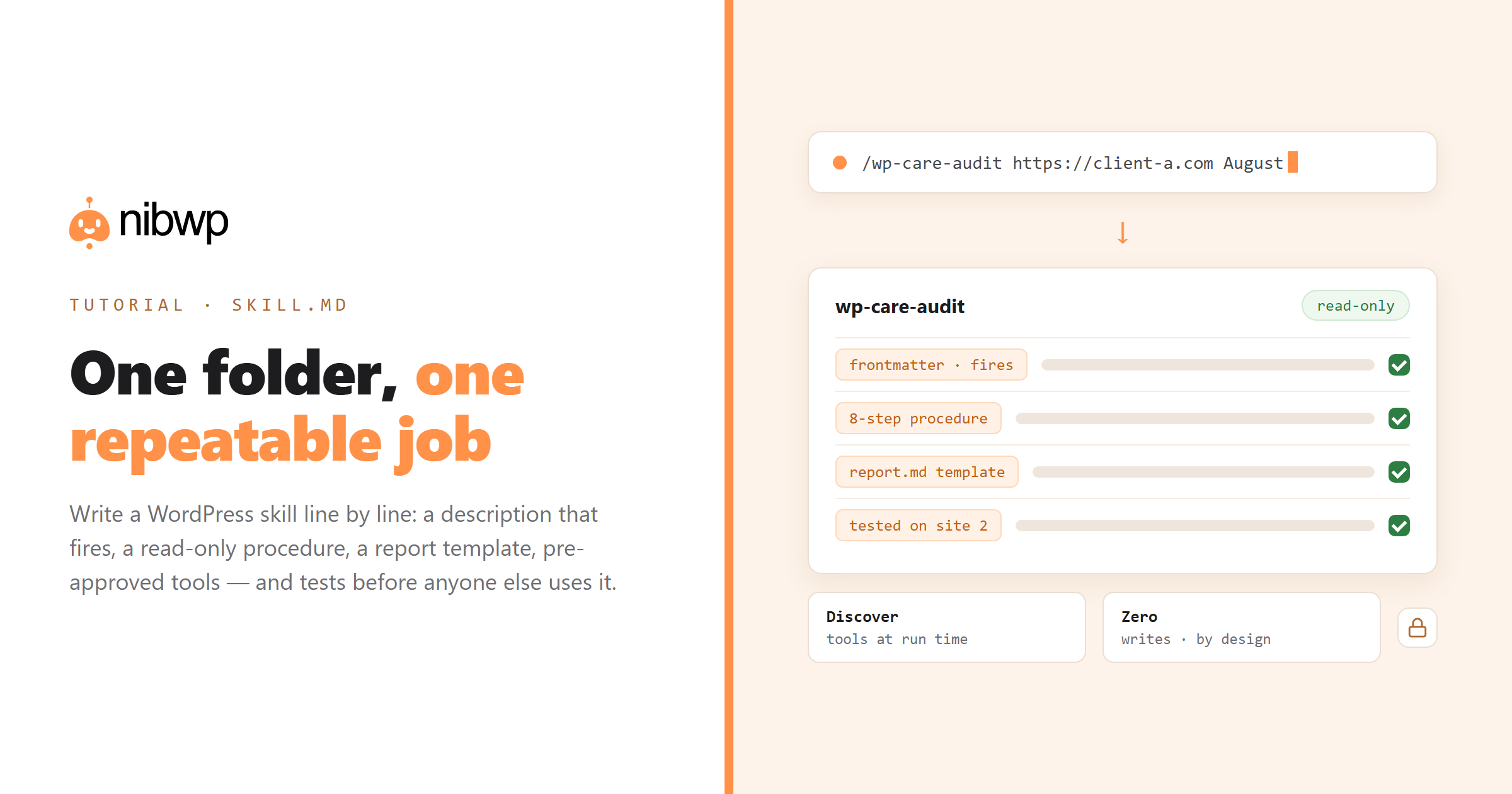
A Claude Skill is a folder with a SKILL.md in it. That is the whole format — which is exactly why the useful question is not “how do I make one” but “how do I make one that fires at the right moment, does the job the same way every time, and cannot hurt a client site.” This tutorial writes a WordPress skill from an empty directory to a hardened, shareable package, line by line, with the reasoning behind each line. The example is a care-plan audit skill — the monthly health check every agency runs — driven through NibWP's typed tools, but the structure transfers to any WordPress job.
You need Claude Code, a WordPress site connected through NibWP (five minutes — the connection guide is linked at the end), and a text editor. No SDK, no build step.
The anatomy of SKILL.md
Before writing, know what goes where. A skill has three layers, loaded at different times:
- Frontmatter (always in context). YAML between — lines. Required: name and description. Claude Code adds optional fields: argument-hint, arguments, disable-model-invocation, user-invocable, allowed-tools, disallowed-tools, model, effort, context, agent, paths, hooks, metadata. About a hundred tokens per skill sit in the system prompt, so the description is precious.
- Body (loaded when triggered). Markdown instructions. Aim for well under 5,000 tokens; push detail into files.
- Bundled files (loaded when referenced). Reference markdown, checklists, schemas, scripts. Zero cost until Claude reads or runs one.
Rules that bite: name is lowercase letters, numbers and hyphens, max 64 characters; if you will ever upload the skill to claude.ai or the API, the name cannot contain “claude” or “anthropic”, and only name, description, license, compatibility, metadata and allowed-tools are accepted there — Claude Code-only fields like argument-hint will be rejected by the uploader. Description is max 1,024 characters and must say what and when.
Step 1 — name the job, not the tool
Create the folder. Personal skills live in ~/.claude/skills/ and apply everywhere; project skills live in .claude/skills/ inside a repository. For an agency skill that runs against many client sites, personal is right; if you keep a repo per client, project is right and the skill can carry that client's conventions.
mkdir -p ~/.claude/skills/wp-care-audit && cd $_
touch SKILL.md
The directory name becomes the slash command: /wp-care-audit. Name it after the outcome (care-audit, seo-backfill, woo-import), not the mechanism (nibwp-tools, mcp-helper). You will have twenty of these eventually; the names should read like a service menu.
Step 2 — write the description that fires
Claude decides whether to use a skill by matching your request against the description. The skill loads only when it fires, so this line is the single most important thing in the file. Two tests: does it say what the skill does, and does it say when to use it — including the words a user would actually type?
---
name: wp-care-audit
description: Run a monthly care-plan health audit on a WordPress site connected through NibWP — updates, security, performance, SEO basics, broken links, backups — and produce a client-ready report. Use when the user asks for a site audit, health check, maintenance report, care plan review, or "what needs attention on <site>".
---
Weak version, for contrast: “Audits WordPress sites.” It will fire for half your requests and miss the other half. Put the key use case first — in Claude Code the description plus an optional when_to_use field are truncated at 1,536 characters in the listing, and the first sentence is what survives a skim.
Step 3 — write the body as a procedure, not a prompt
The body is read at the moment the skill fires, so write it like an onboarding checklist for a capable new hire: numbered, specific, with stop points. Here is the full body for the audit skill:
# Monthly care-plan audit

## Ground rules
- This skill is READ-ONLY. Do not call any NibWP write ability. If a fix is needed, list it under "Recommended actions" for the user to approve separately.
- Use the NibWP discover tool to find ability names at run time. Never assume a name.

## Procedure
1. Identify the site from the argument or ask for it. Confirm the NibWP connection by calling site info.
2. Updates: list core, plugin and theme versions and available updates. Flag security releases.
3. Security: read the security report ability — login protection, file integrity, user roles with admin, inactive plugins.
4. Performance: read the performance/visual check abilities — LCP on home and two key pages, image sizes over 300 KB, caching status.
5. SEO basics: count posts/pages with empty titles or meta descriptions, noindex pages, missing alt text.
6. Links: run the broken-link ability across the site. List 404s with the page they appear on.
7. Backups: read the last backup time and restore-point status if the integration exists; otherwise say "not detected".
8. Forms: list forms and their notification recipients; flag any sending to addresses outside the client's domain.

## Output
Produce ONE report using the template in report.md. Then a separate "Recommended actions" list: each with risk (high/med/low), effort, and the exact NibWP ability that would fix it.
Never include credentials, tokens or internal URLs in the report.
Why it is written this way:
- Read-only is declared, not assumed. An audit must never fix things silently. Saying so in the skill, and pairing it with a read-only NibWP token, makes it structurally true rather than hopefully true.
- Discover at run time. NibWP exposes 132 abilities and they evolve with each release. The skill asks the site what it has (the discover tool) instead of hard-coding names that go stale.
- Numbered, with a fixed output. Procedure plus template equals repeatable. The report.md lives next to SKILL.md and is only loaded at step 8 — progressive disclosure doing its job.
- Actions are proposed, not taken. Each recommendation names the ability that would fix it, so the approval conversation that follows is precise.
Step 4 — add the reference file
Create report.md next to SKILL.md. This is the client-facing template — your brand voice, your section order, your scoring. Keep it as a file, not inline, so the body stays short and the template can be edited by a non-technical colleague:
# {Site name} — monthly health report, {month}

**Overall:** {Green / Amber / Red} — {one sentence}

| Area | Status | Notes |
|---|---|---|
| Updates | | |
| Security | | |
| Performance | | |
| SEO basics | | |
| Links | | |
| Backups | | |
| Forms | | |

## What we did this month
## What needs your decision
## Next month
If you white-label, this is where your logo and sign-off live — the white-label maintenance guide covers the delivery side.
Step 5 — control who can trigger it
Claude Code gives you two switches. disable-model-invocation: true makes a skill manual-only — only /wp-care-audit runs it, Claude will not decide on its own that a question “looks like an audit.” user-invocable: false is the opposite: hidden from the slash menu, used only as background knowledge. For an audit that is safe to run any time, leave both default. For a skill that writes — a bulk SEO backfill, a product import — set disable-model-invocation: true. You want to choose the moment a write happens.
While you are in the frontmatter, add an argument hint so the slash command explains itself:
argument-hint: [site-url] [month]Inside the body, $ARGUMENTS (or $0, $1) substitutes what the user typed after the command, so “Identify the site from the argument” actually works.
Step 6 — pre-approve the safe tools, and only those
By default Claude Code asks permission before tool calls. For an audit that makes forty read calls, that is forty prompts. The allowed-tools field pre-approves tools for the turn that invokes the skill — and the grant clears when you send your next message, so it cannot leak into later work. Pre-approve NibWP's discover and read tools; do not pre-approve the execute tool for anything that writes. The exact tool names follow Claude Code's MCP naming (mcp__<server>__<tool>); check /mcp for yours. Combined with a read-only NibWP token (nibwp auth login <site> –scope read), the skill physically cannot change the site even if its instructions were wrong.
Step 7 — test it like software
- Invoke it directly: /wp-care-audit https://client-a.com August. Watch the tool calls. Did it discover before it called? Did it stop at the stop points?
- Trigger it implicitly: “what needs attention on client-a.com?” If the skill does not load, the description is too narrow. If it loads for unrelated requests, too broad.
- Run it on a second site. A skill that only works on site one has site one's facts baked in. Remove them.
- Read the NibWP audit log. It shows every ability the skill called. If a write appears, the skill is wrong — fix it before anyone else uses it.
- Break the description on purpose. Change one word, re-run, see what happens. You will learn more about matching in five minutes than from any guide.
Step 8 — package, share, version
- Git. Keep ~/.claude/skills as a repository, or symlink each skill folder from one. Every improvement ships to every machine on pull.
- Plugin. Add a .claude-plugin/plugin.json to the skill folder and it loads as a Claude Code plugin that can bundle several skills, agents and even the NibWP MCP server entry — one install for a new team member.
- claude.ai. Zip the folder and upload under Settings (Pro, Max, Team, Enterprise with code execution). Remember: per-user, Claude Code-only frontmatter fields stripped, and — important for WordPress — network access depends on settings, so test that the NibWP connection actually works from there.
- API. /v1/skills uploads are workspace-wide but run in a container with no network access, so they cannot reach a WordPress site directly. For API-driven WordPress work, the NibWP connection lives in your agent code and the skill supplies the procedure.
Seven mistakes that make WordPress skills fail
- Hard-coding ability names, URLs or tokens — stale in a month, and a leak risk. Discover at run time.
- A description that describes the mechanism (“uses NibWP MCP tools”) instead of the user's words (“site audit, health check”).
- A body that is a wall of prose. Numbered steps with stop points; detail in files.
- No stop line. A skill that can write needs an explicit “show the plan and wait” — NibWP gates writes anyway, but the skill should agree with it.
- One skill that does everything. Audit, fix and report are three skills; compose them.
- Trusting a skill you did not read. Skills are software; audit the files, especially scripts and anything that fetches URLs.
- Skipping the second site. The first run always works; the second run is the real test.
What to write next
With the audit skill done, the natural companions are a fix skill that takes the “Recommended actions” list and applies approved items through NibWP's write abilities, and a report skill that turns the audit into the client email. Ten more ideas, with starter frontmatter for each, are in 10 Claude Skills every WordPress agency should install. For a build-oriented skill, see using Claude Skills with NibWP to build pages from a brief; for the concepts, what Claude Skills are and how they work with WordPress. Connect a site in five minutes with the MCP setup guide, and see the plans — the abilities this skill calls are part of Pro and the Bundle.
FAQ
What is the minimum a SKILL.md needs?
YAML frontmatter with a name (lowercase, numbers, hyphens, max 64 characters) and a description (max 1,024 characters, stating what the skill does and when to use it). A body is optional but is where the procedure lives.
How does Claude decide to use my skill?
It matches your request against the description of every installed skill. Only the name and description are in context until a skill fires; then the body is read from disk. Write the description in the words a user would type.
Can a skill call NibWP tools directly?
A skill does not call anything — it instructs Claude to. Claude then uses the NibWP MCP tools (discover abilities, get ability info, execute ability) available in the session. Pre-approve the read tools with allowed-tools; leave writes prompting.
How do I make a skill read-only?
Three layers: say so in the body, pre-approve only read tools, and connect with a read-only NibWP token (nibwp auth login <site> –scope read). The token is the hard guarantee.
Will my Claude Code skill work on claude.ai or the API?
The folder format is the same, but surfaces do not sync and accept different frontmatter. claude.ai takes zip uploads per user (network access depends on settings); the API runs skills in a container with no network access, so WordPress calls must happen in your agent code.
How do I share a skill with my team?
Put the folder in git, or add a .claude-plugin/plugin.json and distribute it as a Claude Code plugin — which can also bundle the NibWP MCP server entry so one install sets up a new machine.