Easy Digital Downloads + MCP: let AI manage your EDD store
Connect Easy Digital Downloads to Claude, Cursor or ChatGPT through NibWP's MCP server. The AI creates and updates downloads, their prices and files, reads payments and earnings, and audits the catalog — typed EDD tools with a plan you approve before anything is written.
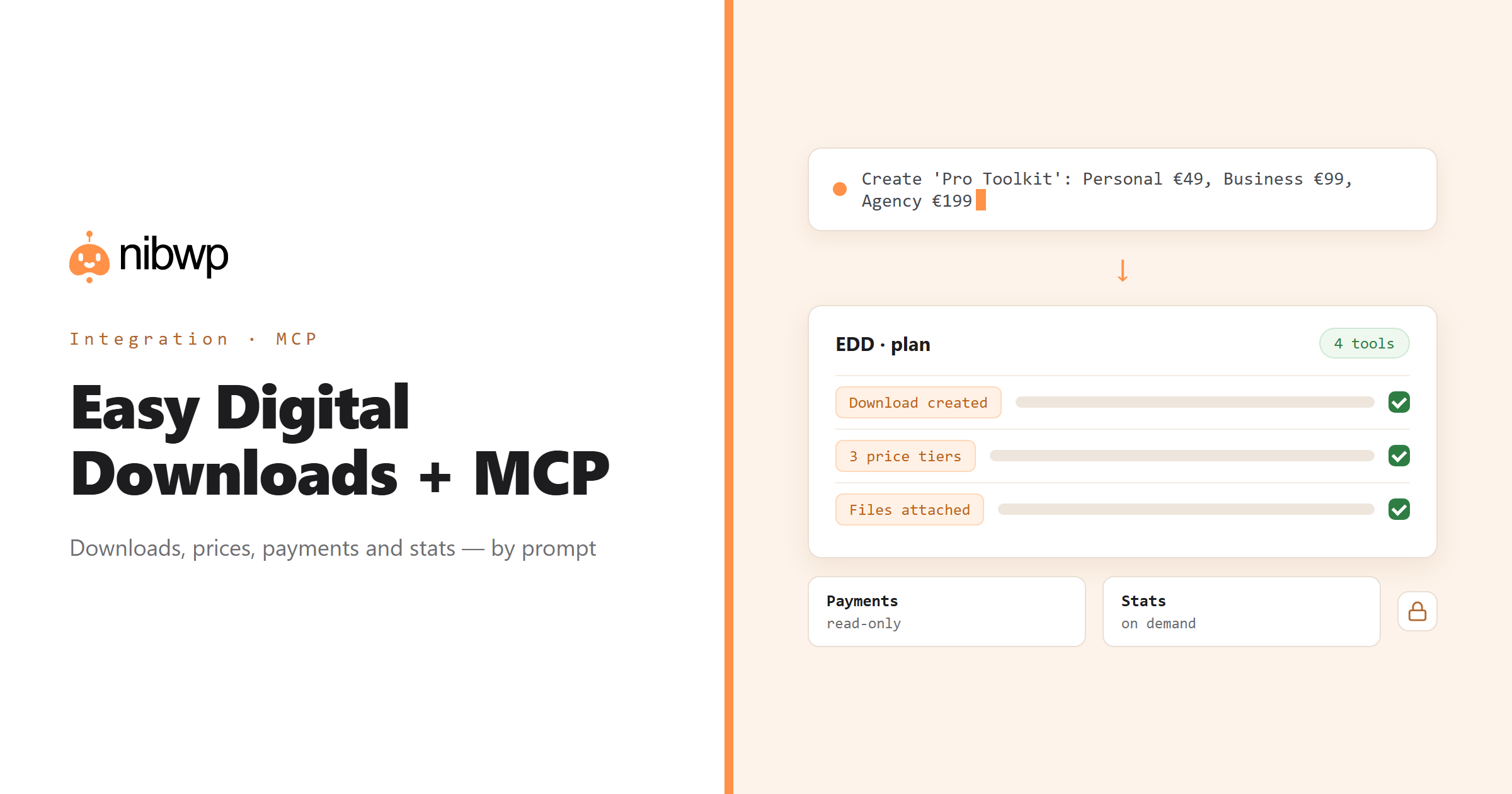
An EDD store is a catalog of downloads with prices, variable price options, files and licences, plus a ledger of payments. Most of the work is catalog upkeep and answering questions from the ledger. NibWP exposes both as typed MCP tools: list and read downloads and payments, create and update downloads, and get earnings stats without opening a report screen.
So a product launch is a brief — 'a new plugin, three licence tiers, these files' — and month-end is a question: 'earnings by product for July, and which refunds happened'. Writes go through the plan; payments are read-only.
Easy Digital Downloads is one of the 45+ integrations inside NibWP's WordPress MCP server — 4 typed Easy Digital Downloads tools on top of 190+ WordPress tools. The full tool reference lives on the Easy Digital Downloads integration page; this page is about what those tools let you do.
What AI can do in Easy Digital Downloads
Create downloads
New downloads with variable prices, files and categories from a brief or a sheet — reviewed before publish.
Prices and options
Change prices or add a tier across many downloads at once, by describing the change.
Earnings and stats
Ask for sales and earnings by product, period or customer — read-only.
Payments
Read payments, their status and items; find refunds or failed transactions that need attention.
Catalog audits
Find downloads with no file attached, no price or no description, and fix them in place.
Automation
Chain EDD actions into a repeatable workflow: create, price, categorise, report.
The Easy Digital Downloads tools NibWP exposes
Every Easy Digital Downloads capability is a typed MCP tool with a schema the AI client can read, so it calls the right thing with the right arguments instead of guessing at your database. Read tools are free to explore; write tools go through the approval flow.
nibwp/edd-manage— Manage Easy Digital Downloads products, payments, and stats.
Example prompts
Plain English is the interface. These are the kinds of requests agencies run against Easy Digital Downloads every day:
- “Create a 'Pro Toolkit' download with Personal €49, Business €99 and Agency €199 tiers.”
- “What were earnings by product in July, and how many refunds?”
- “Add a 'Bundle' price option to every plugin download at 40% off the top tier.”
- “List downloads with no file attached or an empty description.”
- “Create a discount code SUMMER25 for 25% off, valid this month.”
How it works with Easy Digital Downloads
There is no new dashboard to learn. You describe an outcome, NibWP plans it, and you approve before anything is written.
- Connect — install NibWP, connect Claude, Cursor, ChatGPT or any MCP client. Easy Digital Downloads is detected automatically and its tools appear in the client.
- Describe — tell it the download, price change, discount or report you want. NibWP reads the current catalog first and shows the plan before writing.
- Approve — NibWP shows the plan: which records it will create or change, and what will stay untouched. Nothing happens until you say yes.
- Done — it writes real Easy Digital Downloads data through the plugin's own APIs and reports back in plain English, with every change in the audit log.
Why not just a generic AI?
A general-purpose assistant can write text about Easy Digital Downloads; it cannot safely operate it. The difference is structure, context and control.
A generic assistant
- Drafts a product description for you to paste
- Does not know your price tiers, files or categories
- Cannot read a payment or an earnings figure
Easy Digital Downloads + NibWP
- Creates and updates real EDD downloads and price options
- Reads payments and earnings for real answers
- Shows the plan first and logs every change
Safe by default
NibWP is built for agencies running client sites, so control and traceability come first:
- Nothing is written without your approval — you see the plan first, and you can run in draft mode.
- Every action is recorded in a full audit trail, per site and per user.
- It runs on Easy Digital Downloads's own functions and APIs — your data stays on your server, nothing is copied to a third-party service.
- Payments are read-only; refunds and deletions are never part of an ordinary connection.
Related integrations
Most sites pair Easy Digital Downloads with other plugins NibWP already speaks: WooCommerce + MCP, FluentCart + MCP, SureCart + MCP, FluentCRM + MCP, FluentAffiliate + MCP, WordPress + MCP. All of them ship in the same plugin — see pricing for what each plan includes.
Questions, answered
Everything about running Easy Digital Downloads with NibWP.
Does it need Easy Digital Downloads installed?
Can it create downloads with variable prices and files?
Can it refund or edit payments?
Is bulk editing safe?
Do I need a Pro Skill?
Run your EDD store by describing it.
Get the Bundle and let NibWP manage Easy Digital Downloads — downloads, prices, discounts and reports, with an approval step.