FluentSMTP + MCP: let AI configure and debug WordPress email delivery
Connect FluentSMTP to Claude, Cursor or ChatGPT through NibWP's MCP server. The AI sets up SMTP or any API provider, sets default and fallback routing, sends a real test email and reports the exact error, and reads, resends or prunes the delivery log — the email job on every client site, done by prompt.
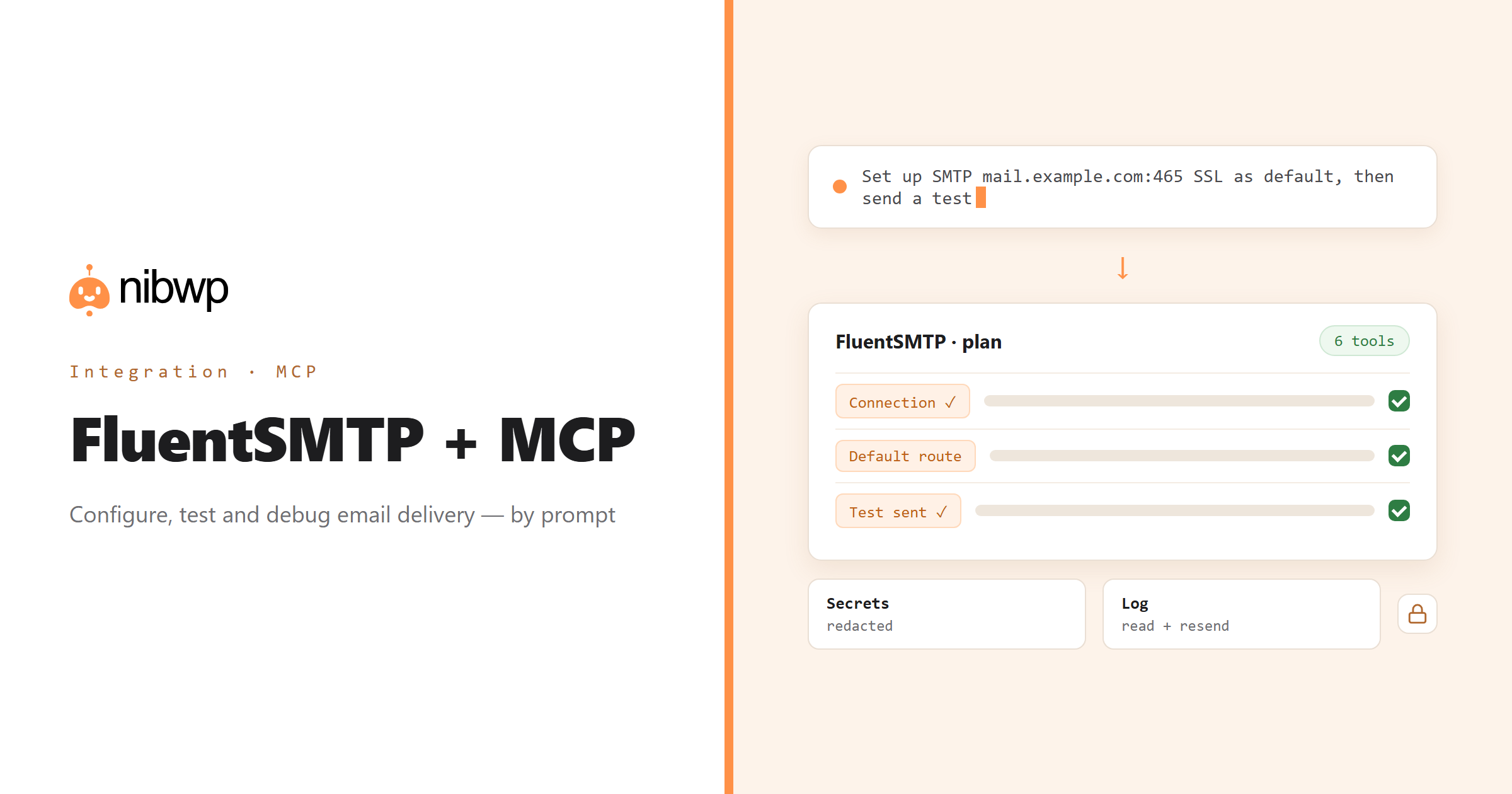
'Contact form emails are not arriving' is the support ticket every agency gets. The fix is always the same shape: a proper connection in FluentSMTP, the right sender, a test, and a look at the log. NibWP exposes FluentSMTP as typed MCP tools so an agent can do that shape on any site — detect the state, configure the connection, test it, read the log — with secrets redacted on the way out.
Across a portfolio it becomes routine: audit which sites still send through PHP mail, move them to the agency's SMTP or API provider, set a fallback, turn on logging with sensible retention, and resend anything that bounced during the change.
FluentSMTP is one of the 45+ integrations inside NibWP's WordPress MCP server — 6 typed FluentSMTP tools on top of 190+ WordPress tools. The full tool reference lives on the FluentSMTP integration page; this page is about what those tools let you do.
What AI can do in FluentSMTP
Configure a connection
Custom SMTP or any API provider — host, port, encryption, sender — set from a description, with default and fallback routing.
Detect the state
Which connections exist, which is default, whether logging is on — before anything is changed.
Send a real test
A real test email to an address you name, with success or the exact error reported back.
Read the delivery log
Find failed sends, see why, and resend them — or prune the log on a retention rule.
Routing and settings
Logging, retention and per-sender routing set consistently across sites.
Secrets redacted
Connections are read with passwords and keys redacted; configuration happens through FluentSMTP, not by exposing credentials.
The FluentSMTP tools NibWP exposes
Every FluentSMTP capability is a typed MCP tool with a schema the AI client can read, so it calls the right thing with the right arguments instead of guessing at your database. Read tools are free to explore; write tools go through the approval flow.
nibwp/fluentsmtp-info— Detect FluentSMTP, connections, default route and logging state.nibwp/fluentsmtp-connections— List, read and delete mail connections (secrets redacted).nibwp/fluentsmtp-configure— Set up a custom SMTP server or any API provider; set default and fallback.nibwp/fluentsmtp-send-test— Send a real test email and report success or the exact error.nibwp/fluentsmtp-logs— Read, resend, delete the email delivery log.nibwp/fluentsmtp-settings— Logging, retention and routing settings.
Example prompts
Plain English is the interface. These are the kinds of requests agencies run against FluentSMTP every day:
- “Set up SMTP mail.example.com port 465 SSL with sender [email protected] and make it the default.”
- “Send a test email to [email protected] and tell me exactly what happened.”
- “Show me every failed send in the last 7 days and why it failed.”
- “Resend the three failed order emails from yesterday.”
- “Turn on logging with 30-day retention.”
How it works with FluentSMTP
There is no new dashboard to learn. You describe an outcome, NibWP plans it, and you approve before anything is written.
- Connect — install NibWP, connect Claude, Cursor, ChatGPT or any MCP client. FluentSMTP is detected automatically and its tools appear in the client.
- Describe — describe the connection, the test or the log question. NibWP detects FluentSMTP, existing connections and logging state first, then shows the plan.
- Approve — NibWP shows the plan: which records it will create or change, and what will stay untouched. Nothing happens until you say yes.
- Done — it writes real FluentSMTP data through the plugin's own APIs and reports back in plain English, with every change in the audit log.
Why not just a generic AI?
A general-purpose assistant can write text about FluentSMTP; it cannot safely operate it. The difference is structure, context and control.
A generic assistant
- Tells you which settings page to open
- Cannot send a test or read a bounce reason
- Cannot see what is already configured
FluentSMTP + NibWP
- Configures SMTP and API connections through FluentSMTP
- Sends real tests and reports the exact error
- Reads, resends and prunes the delivery log
Safe by default
NibWP is built for agencies running client sites, so control and traceability come first:
- Nothing is written without your approval — you see the plan first, and you can run in draft mode.
- Every action is recorded in a full audit trail, per site and per user.
- It runs on FluentSMTP's own functions and APIs — your data stays on your server, nothing is copied to a third-party service.
- Credentials are redacted on every read; deleting connections or log entries is flagged destructive and gated separately.
Related integrations
Most sites pair FluentSMTP with other plugins NibWP already speaks: Fluent Forms + MCP, FluentCRM + MCP, Contact Form 7 + MCP, Gravity Forms + MCP, WordPress + MCP, FluentCart + MCP. All of them ship in the same plugin — see pricing for what each plan includes.
Questions, answered
Everything about running FluentSMTP with NibWP.
Does it need FluentSMTP installed?
Which providers can it configure?
Can it see my SMTP password?
Can it fix 'emails not arriving'?
Do I need a Pro Skill?
Fix WordPress email by describing it.
Get the Bundle and let NibWP configure, test and debug FluentSMTP on every client site — with secrets redacted and an audit trail.