How to use Claude Skills with NibWP to build WordPress pages from a brief
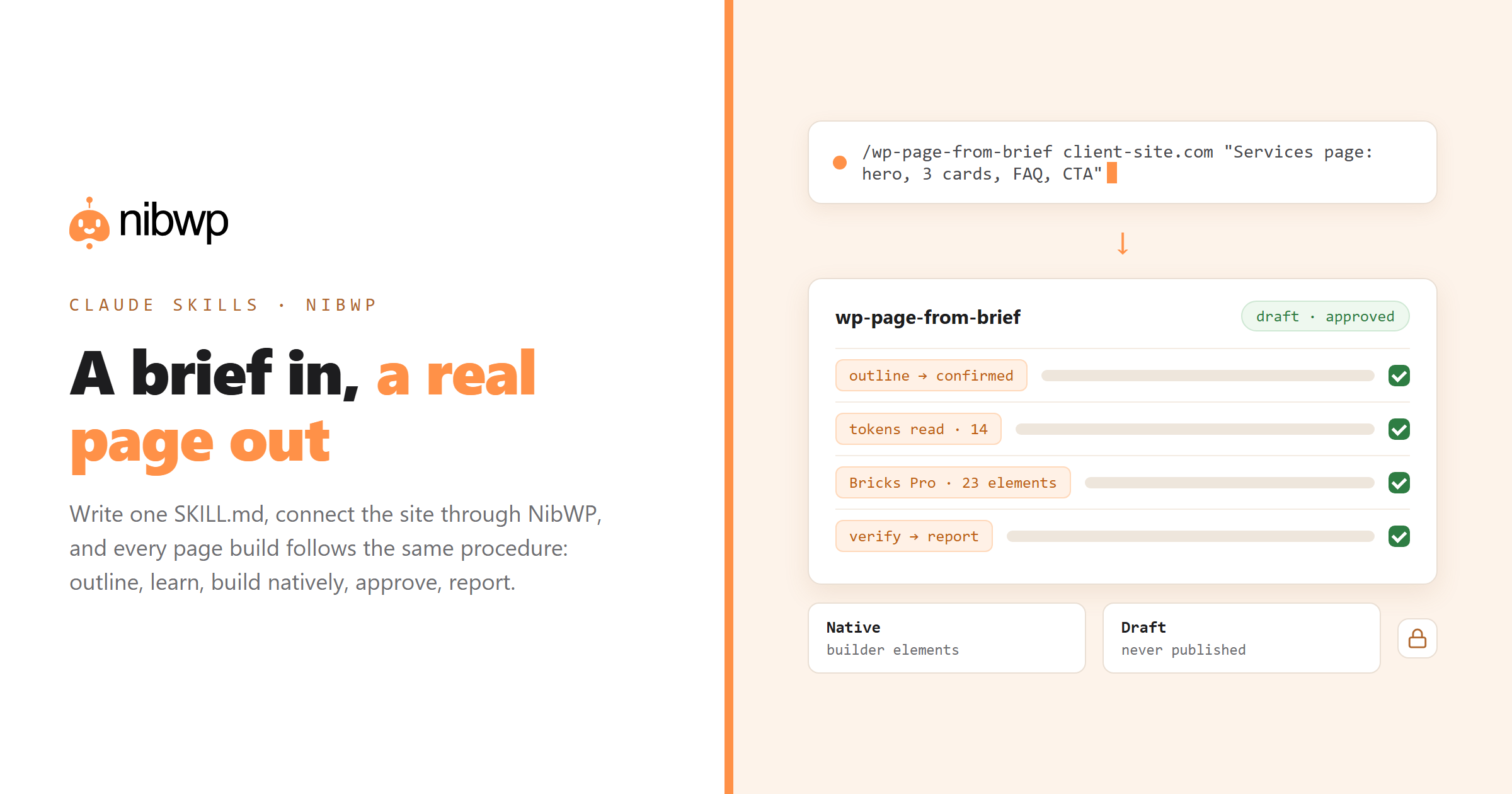
This is the hands-on guide. By the end of it you will have a Claude Skill that takes a one-paragraph brief — “a services page for a plumbing company: hero, three service cards, trust band, FAQ, CTA” — and turns it into a real page on a real WordPress site, built in your builder, using your design tokens, with a plan you approve before anything is written. The skill is the procedure; NibWP is the set of typed tools it drives; your approval is the gate. Nothing here is a demo trick: it is the loop agencies run daily.
We use Claude Code as the client because skills and MCP are both first-class there. The same skill, with minor changes, works in Cursor and Windsurf. Allow about forty minutes the first time, ten for every site after that.
What you need
- A WordPress site with NibWP installed — Pro or the Bundle, with AI Abilities enabled. Staging first if the site is live.
- Claude Code on your machine, logged in.
- A builder NibWP speaks natively — Bricks, EtchWP, Elementor, Kadence, Breakdance, Divi or the block editor. This walkthrough uses Bricks; swap the names for yours.
- Optional but recommended: the Bricks Pro Skill (or your builder's) installed from NibWP › Pro Skills, so design-to-page work is validated server-side instead of hand-written.
- The NibWP CLI — free, open source, one-line install — for snapshots and for writing the Claude Code connection without editing JSON.
Step 1 — connect Claude Code to the site
Two ways. The plugin has a 1-click config generator that produces the MCP entry for Claude Code. Or, from the terminal after installing the NibWP CLI:
nibwp auth login https://client-site.com --scope read,write
nibwp agent add claude-code
The first command opens your browser; the site asks what to allow; you approve. No password stored anywhere. The second writes the connection into Claude Code's config. Start Claude Code, run /mcp, and you should see the NibWP server with three tools: discover abilities, get ability info, execute ability. Those three are the door to all 132 typed tools on the site.
Sanity check before writing any skill: ask Claude Code “list the last five pages on the site.” It should call discover, find nibwp/wp-list-posts (or the page equivalent), execute it, and return structured results. If it does not, the MCP troubleshooting guide covers the usual causes.
Step 2 — decide what the skill is responsible for
Before you write a line, draw the boundary. A good page-building skill owns the procedure and the house rules; it does not own the site's facts (those come from NibWP at run time) and it does not own the output format (that comes from the builder and, ideally, the Pro Skill). Our skill will:
- Turn a brief into a section outline and confirm it with you before anything else.
- Read the site's design tokens and existing global classes through NibWP before building, so the page matches the site.
- Route the actual build through the Bricks Pro Skill if it is installed; fall back to native Bricks elements through the core abilities if not — never to raw HTML.
- Create the page as a draft, never published.
- Run a post-build check: headings in order, every CTA has a link, no inline styles, and report it.
That boundary is what makes the skill portable: it runs on every client site because it learns the site each time instead of hard-coding it.
Step 3 — write SKILL.md
Create the folder and the file. Personal (every project) or project (this repo only) — for agency work, personal is usually right:
mkdir -p ~/.claude/skills/wp-page-from-brief
$EDITOR ~/.claude/skills/wp-page-from-brief/SKILL.md
And the file itself. This is complete and works as written; adjust the builder names for your stack.
---
name: wp-page-from-brief
description: Build a WordPress page from a short brief on a site connected through NibWP. Use when the user asks to create, draft or build a page, landing page or section from a description. Produces native builder output (Bricks by default), as a draft, after an approved outline.
argument-hint: [site-url] [brief]
---

# Build a WordPress page from a brief

## 0. Ground rules
- Never write raw HTML or inline CSS into the page. Output must be native builder elements.
- Create drafts only. Never publish.
- Every write goes through NibWP's approval. Do not ask for it to be skipped.

## 1. Outline first
Turn the brief into a numbered section list (hero, proof, services, FAQ, CTA...). For each: purpose, one-line content, CTA target if any.
Show the outline and STOP until the user confirms.

## 2. Learn the site before building
Using the NibWP discover tool, find and call:
- the builder info ability (detect Bricks / Etch / Elementor / Kadence and version)
- global classes / tokens (ACSS variables if present, builder global classes)
- existing header/footer templates and an example page to match structure
Summarise in 5 lines: builder, token names for colour/spacing/type, class naming pattern.

## 3. Build
If a Pro Skill for the detected builder is installed (nibwp/skill-preflight will say), route the build through it with the approved outline and the token summary.
Otherwise build with the builder's native create/update abilities, one section at a time, reusing global classes. Never invent class names.
Create the page as draft with a clean slug from the brief.

## 4. Verify and report
Read the page back. Check: H1 present and single; H2s in outline order; every button has an href; no inline style attributes; featured image set if the brief named one.
Report: page URL (draft preview), sections built, tokens used, anything skipped and why.
A few deliberate choices in that file:
- The description states the trigger. “Use when the user asks to create, draft or build a page…” is what Claude matches against. Vague descriptions do not fire; over-broad ones fire when they should not.
- Outline first, then stop. The cheapest place to fix a page is before it exists. The skill forces the pause.
- Learn the site at run time. No token values, class names or URLs in the file. They are read through NibWP every run, so the skill works on site two and site forty.
- Route through the Pro Skill when present. Design-to-page is where agents most love to fall back to flattened HTML. The Pro Skills' mandatory routing enforces it server-side; the Claude Skill says it client-side too, so both layers agree.
- Drafts only. Publishing is a human decision. The skill never makes it.
Step 4 — run it
Save the file — Claude Code picks up new skills live — and invoke it directly the first time so you can watch each step:
/wp-page-from-brief https://client-site.com "Services page for Harbor Plumbing: hero with emergency number, three service cards (repairs, installs, drain cleaning), a trust band with 4 badges, FAQ with 5 questions, final CTA to /book/"What you should see, in order:
- The outline. Six sections with purpose and CTA targets. You say “swap the trust band above the cards” — it does — and you confirm.
- The site read. Claude calls NibWP's discover tool, then a handful of read abilities: builder detected (Bricks 1.12), ACSS tokens present (–primary, –space-m, –text-l…), global class pattern (harbor-card, harbor-cta), header/footer templates found. Five lines, as instructed.
- The build. With Bricks Pro installed, Claude hands the outline and token summary to the skill; NibWP returns a validated element tree — 23 elements, tokens mapped, classes bound — and shows you the plan. Without the Pro Skill, you see the native Bricks create calls one section at a time, each with a plan.
- Approval. You approve. The page lands as a draft.
- The report. Preview URL, sections built, tokens used, “FAQ schema not added — ask the SEO skill”. Honest about what it did not do.
Second run onward you do not need the slash command: “build a pricing page for client-site.com from this brief” matches the description and Claude loads the skill itself.
Step 5 — polish inside the builder, not around it
Open the draft in Bricks. Because the output is native elements with your global classes, polishing is ordinary builder work: drag a section, change a padding token, swap an icon. That is the whole reason to insist on native output in the skill — a page made of pasted HTML would be a cleanup job here instead of a five-minute pass.
If you want the same flow for screenshots or Figma frames instead of text briefs, the screenshot-to-page and Figma + MCP guides show the inputs; the skill structure stays identical — only step 1's source changes.
Step 6 — harden it for client work
Once it works, make it safe to hand to the rest of the team.
- Snapshot before build. Add a line: “Before step 3, ask the user to run nibwp snapshot create –post-type page -o before.json, or run it via Bash if allowed.” One command, full rollback.
- Pre-approve only reads. In Claude Code you can add allowed-tools to the frontmatter so the discover and read calls do not prompt each time. Leave writes prompting — that is the point of them.
- Make it manual-only if you prefer. disable-model-invocation: true means only /wp-page-from-brief runs it; Claude will not decide on its own that a request “looks like” a page build.
- Version it. Put the skill folder in a repo; every improvement ships to every machine. Or add a .claude-plugin/plugin.json and share it as a plugin.
- Read the audit log. After the first few runs, open NibWP's audit log and read what the skill actually called. It is the fastest way to spot a step that should be tightened.
Three variants worth making next
- wp-landing-from-brief — same skill, but the outline template is fixed (hero, proof, offer, objections, CTA) and it always adds FAQ schema via the SEO abilities. Pairs with the 2K landing page in a day playbook.
- wp-section-from-reference — takes a URL of an existing page on the same site and rebuilds one section elsewhere, reading structure through NibWP instead of a brief.
- wp-page-batch — reads a CSV of briefs and runs wp-page-from-brief per row, with one outline confirmation for the set. The 5K website playbook is basically this skill run eight times.
The bottom line
A Claude Skill turns “build me a page” from a conversation you steer into a procedure you trust: outline, learn the site, build natively, verify, report — the same way every time, on every site. NibWP supplies the typed tools, the approval gate and the audit log that make it safe to run on client work. Connect a site in five minutes (the WordPress plugin that lets Claude build sites), write the skill above, and the next page is a paragraph away. Plans and the Bundle are on the pricing page; the explainer on Claude Skills and WordPress covers the concepts this guide assumes.
FAQ
Do I need a Pro Skill to build pages with a Claude Skill?
No. The skill falls back to the builder's native create/update abilities through NibWP core. A Pro Skill (Bricks, EtchWP, Elementor, Kadence, Breakdance, Voxel) adds server-side validation — token mapping, class rules, element whitelists — which is what you want for design-to-page work at volume.
Which builders does this work with?
Any builder NibWP integrates: Bricks, EtchWP, Elementor, Kadence, Breakdance, Divi, GeneratePress and the block editor. The skill detects the builder at run time through NibWP, so one skill covers a mixed portfolio.
Will the skill publish pages on its own?
Not as written — it creates drafts only, and every write goes through NibWP's approval gate. Publishing is a separate, human step.
Can the skill break the design system?
It reads tokens and global classes before building and is instructed never to invent class names or write inline styles. With a Pro Skill installed, the server also validates output against those rules before anything is written.
Does this work in Cursor or Windsurf?
The NibWP connection does — nibwp agent add cursor writes it. Skill discovery differs per client; in clients without Claude-style skills, paste the SKILL.md body as a rules file or project instruction and the procedure is the same.
How do I undo a build?
Snapshot first with nibwp snapshot create, and restore with nibwp snapshot restore if needed. Drafts can also simply be trashed; the audit log shows exactly what was written.