Breakdance + MCP: let AI build and edit Breakdance pages, node by node
Connect Breakdance to Claude, Cursor or ChatGPT through NibWP's MCP server. Your pages are read as real node trees, so the AI can add a section, change one heading, or rebuild a header — without opening the builder or pasting markup.
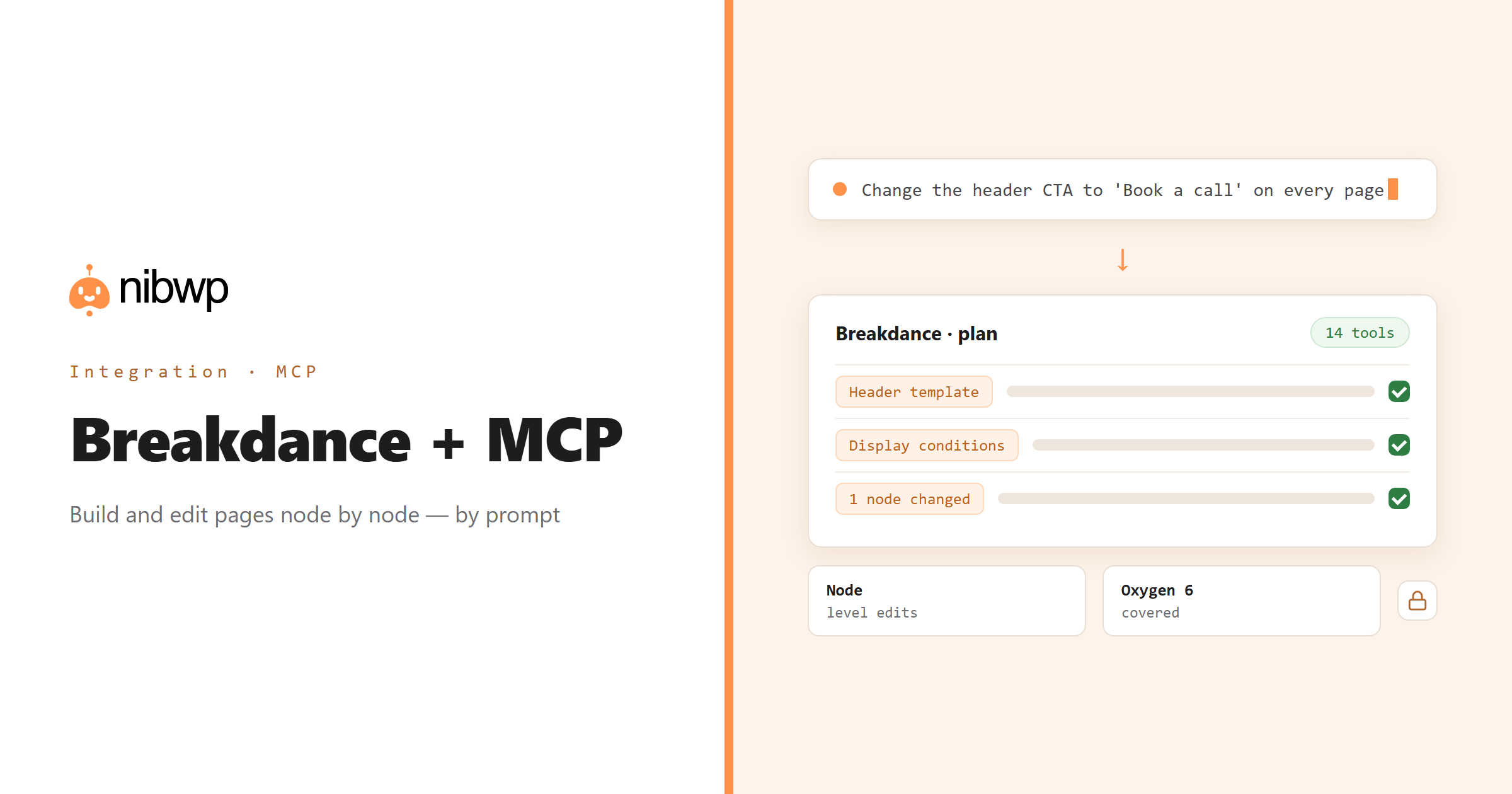
A Breakdance page is not post content. The layout is a JSON node tree stored in post meta, which is why generic AI tools appear to work on Breakdance sites and quietly change nothing a visitor sees. NibWP reads and writes that tree through Breakdance's own element registry, so an agent can place a real Section, Heading or Button exactly where you describe it.
That turns the everyday jobs — change the CTA in the header everywhere, swap a hardcoded colour for the global variable, find pages still using an element that no longer exists — into one-sentence requests. Oxygen 6 is covered too: every post type and storage key is read from Breakdance's constants, not hardcoded.
Breakdance is one of the 45+ integrations inside NibWP's WordPress MCP server — 14 typed Breakdance tools on top of 190+ WordPress tools. The full tool reference lives on the Breakdance integration page; this page is about what those tools let you do.
What AI can do in Breakdance
Build a page from a brief
Sections, headings, images and buttons placed as a real node tree with your element presets — not pasted HTML.
Change one thing everywhere
Edit a header, footer or popup once; every page it is assigned to follows. Display conditions are checked so nothing goes invisible.
Single-node edits
Update, duplicate, move or remove one node and leave the rest of the page untouched. Properties merge, they do not replace.
Audit the site
Find pages using elements that no longer exist, hardcoded values that have a variable, or templates with no display conditions.
The global layer
Typography, colours, breakpoints, selectors, presets and variables — so new work matches the site instead of inventing a second design system.
Revisions as the undo
List revisions and restore one. A bad change is a sentence away from being undone.
The Breakdance tools NibWP exposes
Every Breakdance capability is a typed MCP tool with a schema the AI client can read, so it calls the right thing with the right arguments instead of guessing at your database. Read tools are free to explore; write tools go through the approval flow.
nibwp/breakdance-info— Version, brand mode, post types and counts.nibwp/breakdance-elements— Every registered element with its control schema.nibwp/breakdance-tree— Read a page as a tree or an outline, render it, or replace it.nibwp/breakdance-nodes— Add, update, duplicate, move or remove a single node.nibwp/breakdance-pages— Find Breakdance pages, create them, enable the builder.nibwp/breakdance-templates— Headers, footers, popups, templates and global blocks.nibwp/breakdance-conditions— Where each template actually displays.nibwp/breakdance-global-settings— Site-wide typography, colors and breakpoints.nibwp/breakdance-selectors— Global CSS classes and selectors.nibwp/breakdance-presets— Saved design presets.nibwp/breakdance-variables— Design tokens and their collections.nibwp/breakdance-forms— Form submissions.
Example prompts
Plain English is the interface. These are the kinds of requests agencies run against Breakdance every day:
- “Change the header button on every page from 'Contact' to 'Book a call' and point it at /book/.”
- “Create a pricing page with three tiers using our existing section preset, and enable the builder on it.”
- “List every page that still uses the old Testimonial Slider element.”
- “Replace hardcoded #1d1d1f colours in the footer template with the global text variable.”
- “Show me the revisions of the home page and restore the one from before yesterday's edit.”
How it works with Breakdance
There is no new dashboard to learn. You describe an outcome, NibWP plans it, and you approve before anything is written.
- Connect — install NibWP, connect Claude, Cursor, ChatGPT or any MCP client. Breakdance is detected automatically and its tools appear in the client.
- Describe — tell it what you want — a new page from a brief, a header change, an audit — or hand it a reference page to copy structure from. NibWP reads the element registry and the current tree first.
- Approve — NibWP shows the plan: which records it will create or change, and what will stay untouched. Nothing happens until you say yes.
- Done — it writes real Breakdance data through the plugin's own APIs and reports back in plain English, with every change in the audit log.
Why not just a generic AI?
A general-purpose assistant can write text about Breakdance; it cannot safely operate it. The difference is structure, context and control.
A generic assistant
- Writes HTML into the post body — which Breakdance never renders
- Does not know which elements, presets or variables your site actually has
- Replaces whole pages when you asked for one heading
Breakdance + NibWP
- Edits the real node tree through Breakdance's element registry
- Reads presets, selectors and variables before writing, so output matches the site
- Changes one node and leaves the rest alone; revisions give you the undo
Safe by default
NibWP is built for agencies running client sites, so control and traceability come first:
- Nothing is written without your approval — you see the plan first, and you can run in draft mode.
- Every action is recorded in a full audit trail, per site and per user.
- It runs on Breakdance's own functions and APIs — your data stays on your server, nothing is copied to a third-party service.
- Trashing is reversible and ungated; permanent deletion and clearing a page are flagged destructive and sit behind a separate permission.
Related integrations
Most sites pair Breakdance with other plugins NibWP already speaks: Builderius + MCP, Etch + MCP, Bricks + MCP, Automatic.css + MCP, ACF + MCP, Figma + MCP. All of them ship in the same plugin — see pricing for what each plan includes.
Questions, answered
Everything about running Breakdance with NibWP.
Do I need Breakdance installed?
Does this work with Oxygen 6?
Will it overwrite work I did by hand?
Why can generic AI tools not do this already?
Can I undo something it did?
Which NibWP plan do I need?
Edit Breakdance by describing it.
Get the Bundle and let NibWP operate Breakdance for you — pages, templates, global styles and revisions, safely and with an audit trail.