Builderius + MCP: let AI author and commit Builderius templates
Connect Builderius to Claude, Cursor or ChatGPT through NibWP's MCP server. The AI builds valid module trees — HtmlElement, Collection, Component, SmartForm — and commits them through Builderius's own git-like versioning, so every change is a commit you can inspect and roll back.
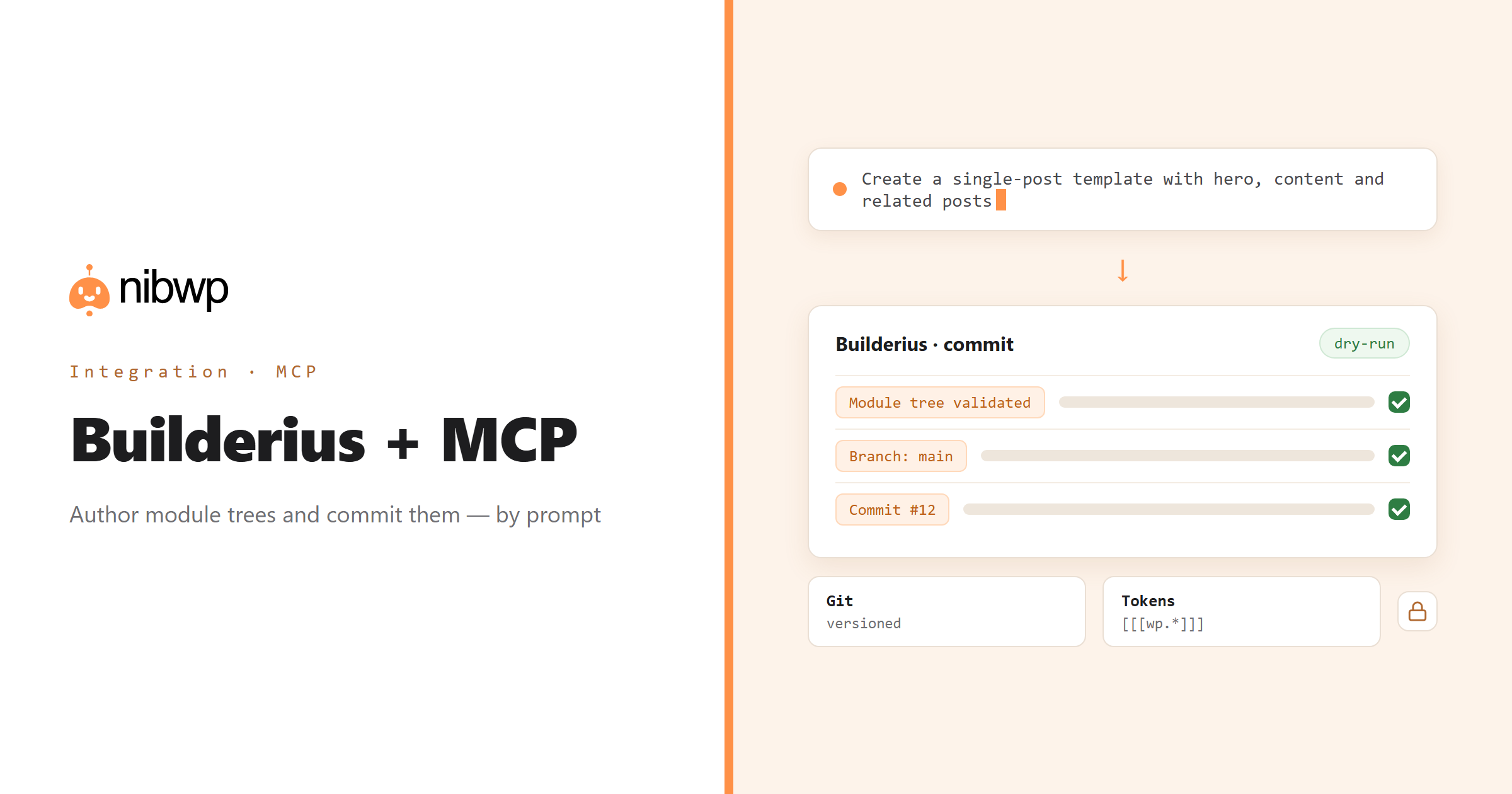
Builderius is the builder for people who think in structure: templates are module trees, changes are commits, and data comes in through [[[wp.*]]] tokens. That makes it unusually good territory for an AI agent — as long as the agent speaks the module model instead of pasting markup. NibWP does: it validates a nested module tree into a real Builderius config before anything is committed.
So a template can be authored from a brief, a dozen templates updated in one run, and the version graph inspected for stale or empty templates — without opening the editor. Dry-run shows you the resulting config first; every write reads the result back.
Builderius is one of the 45+ integrations inside NibWP's WordPress MCP server — 7 typed Builderius tools on top of 190+ WordPress tools. The full tool reference lives on the Builderius integration page; this page is about what those tools let you do.
What AI can do in Builderius
Author a template from a brief
Describe the layout; NibWP builds a validated module tree and commits it on the template's branch.
Every change is a commit
Updates land as new config snapshots in Builderius's version graph — inspect the diff, keep the history, roll back.
Dynamic data wired in
WordPress data enters modules through [[[wp.*]]] tokens, so templates are live, not hard-coded.
Bulk template ops
Create or update many templates in one agent run — a component rename, a token swap, a new footer across a set.
Audit the version graph
Find templates with no active commit, empty configs or branches nobody merged.
Validate, dry-run, read back
Every write validates the config, supports dry-run, and reads the result back before reporting success.
The Builderius tools NibWP exposes
Every Builderius capability is a typed MCP tool with a schema the AI client can read, so it calls the right thing with the right arguments instead of guessing at your database. Read tools are free to explore; write tools go through the approval flow.
nibwp/builderius-list-templates— List templates with type, branch count and active commit.nibwp/builderius-get-template— Get a template's current module config.nibwp/builderius-list-versions— The git-like branch/commit graph for a template.nibwp/builderius-build-config— Turn a nested module tree into a validated Builderius config.nibwp/builderius-create-template— Create a template and commit authored content.nibwp/builderius-update-template— Commit a new config snapshot on the template's branch.nibwp/builderius-delete— Delete a Builderius record (flagged destructive).
Example prompts
Plain English is the interface. These are the kinds of requests agencies run against Builderius every day:
- “Create a single-post template: hero with title and featured image, the content collection, then a related-posts component.”
- “List every template with its branch count and which commit is active.”
- “Update the footer template so the copyright year uses a dynamic token instead of a literal.”
- “Show me the current module config of the archive template as an outline.”
- “Dry-run a new landing template from this brief and show me the resulting config before committing.”
How it works with Builderius
There is no new dashboard to learn. You describe an outcome, NibWP plans it, and you approve before anything is written.
- Connect — install NibWP, connect Claude, Cursor, ChatGPT or any MCP client. Builderius is detected automatically and its tools appear in the client.
- Describe — tell it the template you want, or point it at an existing one to extend. NibWP lists templates and reads the current config and version graph before it builds anything.
- Approve — NibWP shows the plan: which records it will create or change, and what will stay untouched. Nothing happens until you say yes.
- Done — it writes real Builderius data through the plugin's own APIs and reports back in plain English, with every change in the audit log.
Why not just a generic AI?
A general-purpose assistant can write text about Builderius; it cannot safely operate it. The difference is structure, context and control.
A generic assistant
- Pastes HTML that Builderius has no way to render
- Ignores branches and commits — edits land nowhere, or overwrite history
- Hard-codes values that should be [[[wp.*]]] tokens
Builderius + NibWP
- Builds validated module trees Builderius accepts
- Commits through the template's own branch, so history stays intact
- Wires dynamic data with tokens and reads the result back
Safe by default
NibWP is built for agencies running client sites, so control and traceability come first:
- Nothing is written without your approval — you see the plan first, and you can run in draft mode.
- Every action is recorded in a full audit trail, per site and per user.
- It runs on Builderius's own functions and APIs — your data stays on your server, nothing is copied to a third-party service.
- Deleting a Builderius record is a separate tool, flagged destructive and never part of an ordinary read-and-write connection.
Related integrations
Most sites pair Builderius with other plugins NibWP already speaks: Breakdance + MCP, Etch + MCP, Bricks + MCP, Automatic.css + MCP, ACF + MCP, Figma + MCP. All of them ship in the same plugin — see pricing for what each plan includes.
Questions, answered
Everything about running Builderius with NibWP.
Does it work with Builderius?
Can it author, not just read?
Is it safe?
Do I need a Pro Skill?
Author Builderius templates by describing them.
Get the Bundle and let NibWP build, commit and audit your Builderius templates — validated, dry-run first, fully versioned.