Automatic.css + MCP: let AI read and tune your ACSS design system
Connect Automatic.css to Claude, Cursor or ChatGPT through NibWP's MCP server. The AI reads your palette, type scale, spacing, radius and breakpoints as data — so everything it builds in Bricks, Etch or Gutenberg uses your tokens, and the tokens themselves can be tuned by prompt.
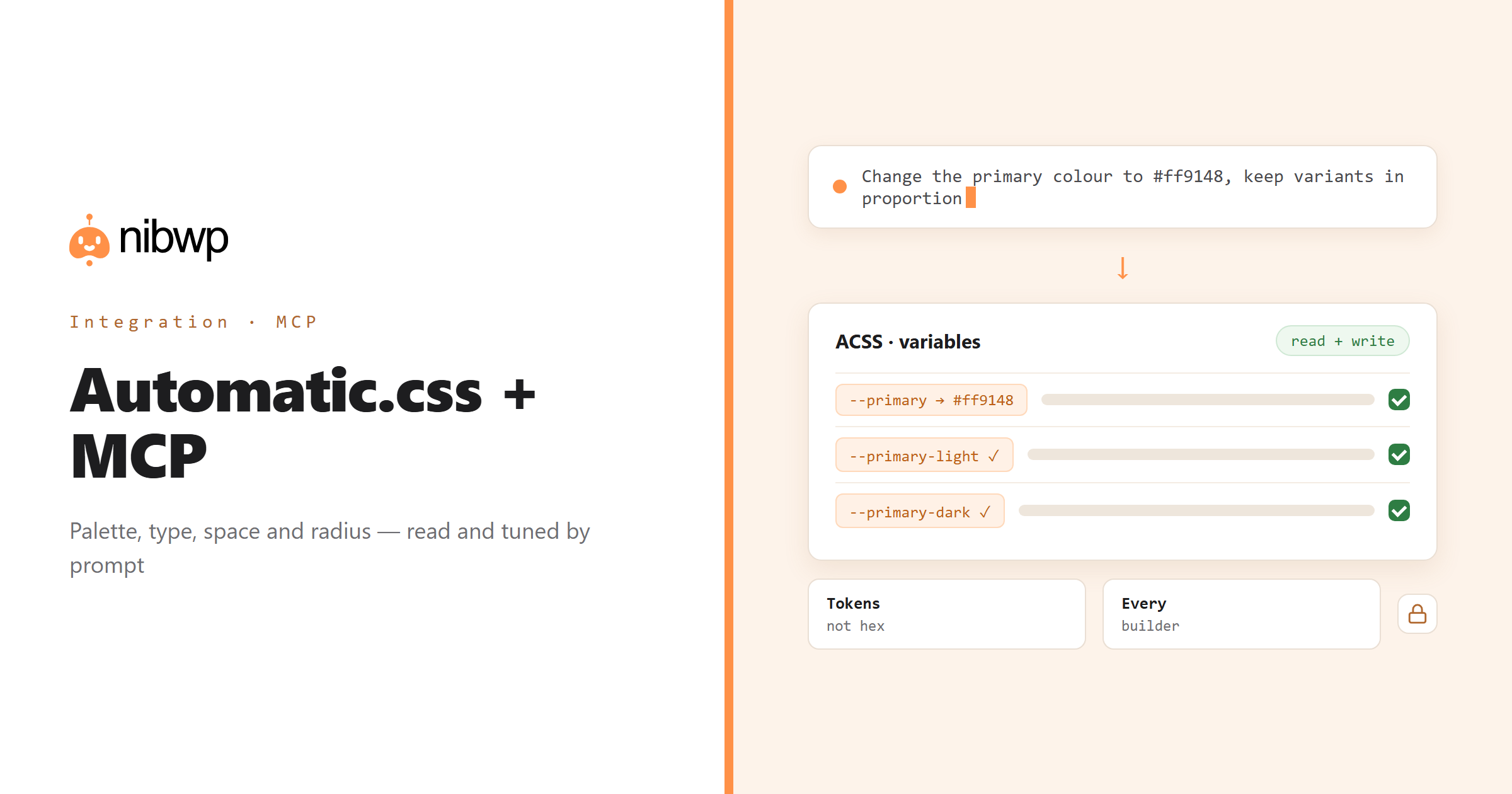
Automatic.css is the design system behind a lot of serious WordPress builds: one set of variables for colour, typography, space, radius and breakpoints, consumed by every builder on the site. An AI that does not know those variables produces hard-coded values; an AI that can read them produces work that looks like yours. NibWP exposes the ACSS configuration as typed read-and-write tools.
That matters twice. When the agent builds a page, it pulls the real tokens first. When you want to change the system — a new brand colour, a tighter type scale, a different radius — it edits the variables in one place and every page follows. No exports, no CSS overrides, no spelunking in the dashboard.
Automatic.css is one of the 45+ integrations inside NibWP's WordPress MCP server — 4 typed Automatic.css tools on top of 190+ WordPress tools. The full tool reference lives on the Automatic.css integration page; this page is about what those tools let you do.
What AI can do in Automatic.css
Read the palette
Primary, secondary, action, neutral shades and their variants — read as data before anything is built.
Tune the type scale
Change heading or text sizes, line heights and the fluid ranges by describing the result you want.
Spacing and radius
Read the spacing scale and radius tokens; update them and every component using var(–space-m) follows.
Breakpoints as data
Know which breakpoints exist before writing responsive rules — no guessed pixel values.
Audit for drift
Find hard-coded colours, px values and one-off classes that should be ACSS tokens or utilities.
Tokens in every build
Bricks, Etch and Gutenberg output from NibWP uses your ACSS variables, so pages match the system by default.
The Automatic.css tools NibWP exposes
Every Automatic.css capability is a typed MCP tool with a schema the AI client can read, so it calls the right thing with the right arguments instead of guessing at your database. Read tools are free to explore; write tools go through the approval flow.
nibwp/acss-get-variables— Retrieve all AutomaticCSS custom properties (colors, spacing, typography, sizing).nibwp/acss-update-variables— Update AutomaticCSS settings and CSS custom properties.nibwp/acss-get-classes— List all utility classes available in AutomaticCSS, grouped by category (layout, spacing, typography, colors, etc.).nibwp/acss-regenerate— Triggers AutomaticCSS to regenerate its compiled CSS files.
Example prompts
Plain English is the interface. These are the kinds of requests agencies run against Automatic.css every day:
- “Show me the full palette with shade variants and where the primary colour is used.”
- “Change the primary colour to #ff9148 and keep the light and dark variants in proportion.”
- “Tighten the heading scale one step and show me the new h1–h6 sizes.”
- “Audit the home page for hard-coded colours that should be ACSS variables.”
- “Add a 'brand-green' colour with a full shade set.”
How it works with Automatic.css
There is no new dashboard to learn. You describe an outcome, NibWP plans it, and you approve before anything is written.
- Connect — install NibWP, connect Claude, Cursor, ChatGPT or any MCP client. Automatic.css is detected automatically and its tools appear in the client.
- Describe — ask for what you want to know or change — a palette read, a new colour, a tighter scale. NibWP reads the current variables and shows the before/after before writing.
- Approve — NibWP shows the plan: which records it will create or change, and what will stay untouched. Nothing happens until you say yes.
- Done — it writes real Automatic.css data through the plugin's own APIs and reports back in plain English, with every change in the audit log.
Why not just a generic AI?
A general-purpose assistant can write text about Automatic.css; it cannot safely operate it. The difference is structure, context and control.
A generic assistant
- Invents hex codes and pixel values
- Does not know your type scale or spacing system exists
- Cannot change a token, so it overrides CSS page by page
Automatic.css + NibWP
- Reads palette, type, space, radius and breakpoints as data
- Updates variables once and every page follows
- Builds new pages with var(–primary) and var(–space-m) by default
Safe by default
NibWP is built for agencies running client sites, so control and traceability come first:
- Nothing is written without your approval — you see the plan first, and you can run in draft mode.
- Every action is recorded in a full audit trail, per site and per user.
- It runs on Automatic.css's own functions and APIs — your data stays on your server, nothing is copied to a third-party service.
- Changes are shown as before/after per variable before they are written, and the previous values are logged so a change can be reverted.
Related integrations
Most sites pair Automatic.css with other plugins NibWP already speaks: Etch + MCP, Bricks + MCP, Breakdance + MCP, GeneratePress + MCP, Figma + MCP, Divi + MCP. All of them ship in the same plugin — see pricing for what each plan includes.
Questions, answered
Everything about running Automatic.css with NibWP.
Does it need Automatic.css installed?
Can it change my design tokens, or only read them?
Which builders benefit?
Will it break my existing pages?
Do I need a Pro Skill?
Keep every build on the system.
Get the Bundle and let NibWP read and tune Automatic.css — so AI output uses your tokens, and the tokens stay yours.